How to Make an AI Podcast: From One Idea to a Multi-Speaker Show (2026)
Learn how to make an AI podcast in minutes. Turn a single topic or script into a natural two-host conversation with AI voices — step by step, no mic or editing needed.
You've got a great idea for a podcast. What you don't have is a microphone, a co-host, a quiet room, and three free hours to edit.
Here's the good news: you don't need any of that anymore.
Modern AI tools can take a single idea — one line of text — and turn it into a full, natural-sounding episode with two hosts talking back and forth. No recording. No editing. None of those "let me restart the intro" moments.
In this guide, you'll learn exactly how to make an AI podcast from scratch: what it actually is, the step-by-step process, and how to make the final result sound like real people instead of a robot reading a script.
Let's dive in.
Quick answer: To make an AI podcast, open an AI podcast generator, type your topic or paste a script, choose a single narrator or two hosts, pick your voices, and click generate. The tool writes a conversational script and turns it into a downloadable episode in minutes — no microphone or editing required.
What Is an AI Podcast?
An AI podcast is an audio episode created with artificial intelligence instead of a microphone and a recording session. You give the tool a topic or a script, and it produces spoken audio — often as a natural conversation between two AI hosts.
Two things work together behind the scenes:
- Script generation — AI turns your topic or notes into a conversational script.
- Voice generation — text to speech converts that script into natural-sounding audio, with a different voice for each speaker.
The result sounds like a real show: two people discussing a subject, trading questions and answers, with natural pauses and shifts in tone.
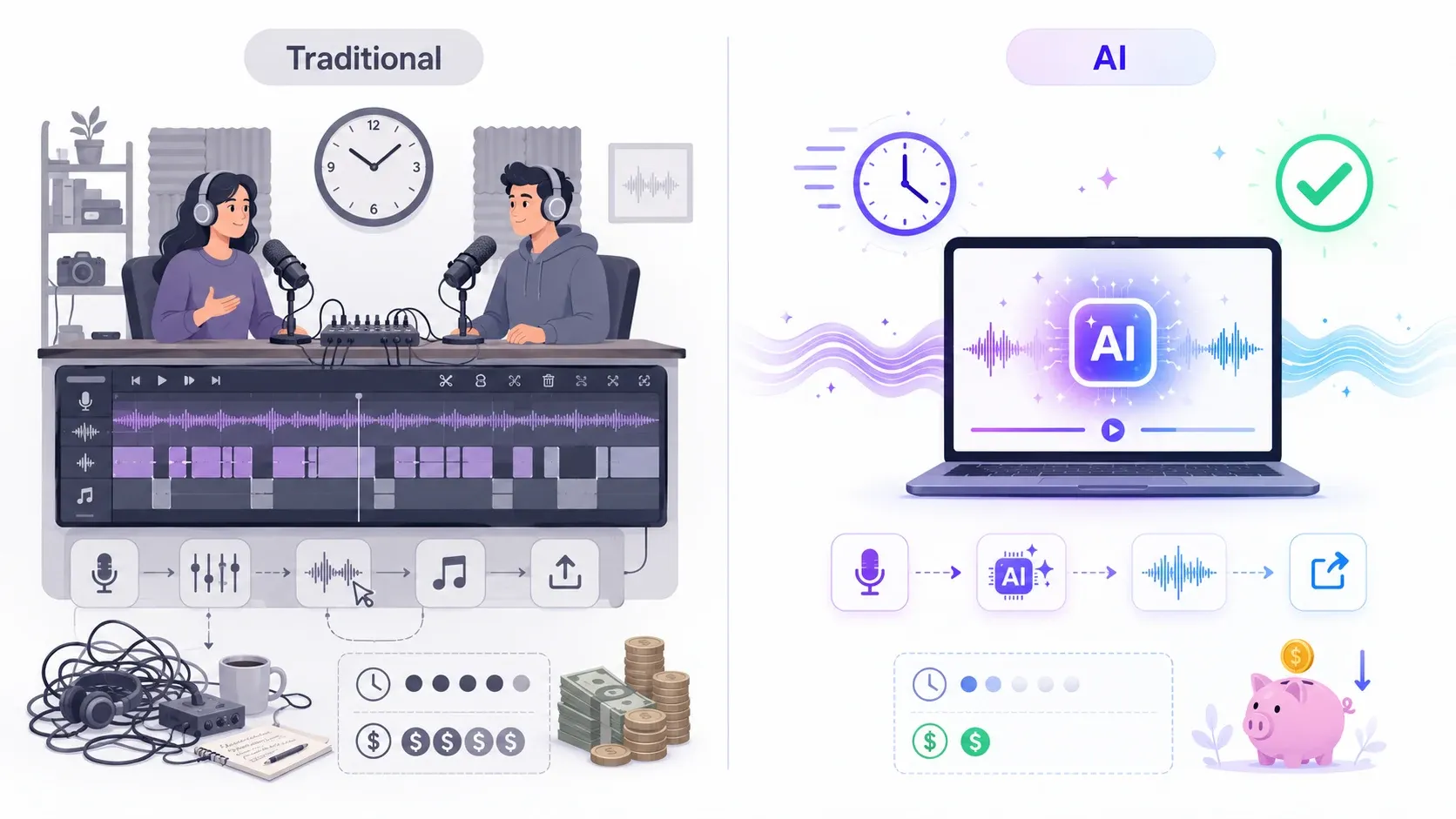
Here's how it stacks up against recording a podcast the traditional way:
| Traditional Podcast | AI Podcast | |
|---|---|---|
| Equipment | Mic, headphones, software | Just a browser |
| People needed | 1–2+ hosts | None |
| Recording time | 1–3 hours per episode | Minutes |
| Editing | Cutting, mixing, retakes | Automatic |
| Cost | Gear + editing time | Free to start |
| Consistency | Varies day to day | Identical every time |
For a lot of creators, that table is the whole reason AI podcasts took off.
Why Creators Are Turning Text into Podcasts
Audio is the format people consume while doing something else — commuting, cooking, working out. Turning written content into a podcast meets your audience where they already are.
A few reasons this approach exploded recently:
- Speed. An idea becomes a finished episode in minutes, not days.
- No recording anxiety. No mic technique, no "um," no re-recording a stumble for the fourth time.
- Content repurposing. A blog post, a newsletter, or a pile of notes can become an audio episode without starting over.
- Consistency. The voices sound exactly the same in episode 1 and episode 50.
The trend really accelerated when tools started turning notes and documents into spoken conversations automatically. People realized they could listen to their reading list instead of letting it pile up.
Worth knowing: An AI podcast doesn't have to replace a "real" podcast. Plenty of creators use it for bonus episodes, recaps, or internal content — and save the studio mic for their flagship show.
What You Need to Make an AI Podcast
You need surprisingly little to get started:
- A topic or a script. One sentence is enough — the AI expands it. Already have a script? Even better; you can paste it straight in.
- An AI podcast tool. Something that handles both the script and the voices in one place, like AnySpeech's AI Podcast Generator.
- A few minutes. That's genuinely it.
No microphone. No audio software. No co-host who cancels at the last minute.
How to Make an AI Podcast — Step by Step
Making an AI podcast takes about five minutes from blank page to finished audio. Here's the exact process.
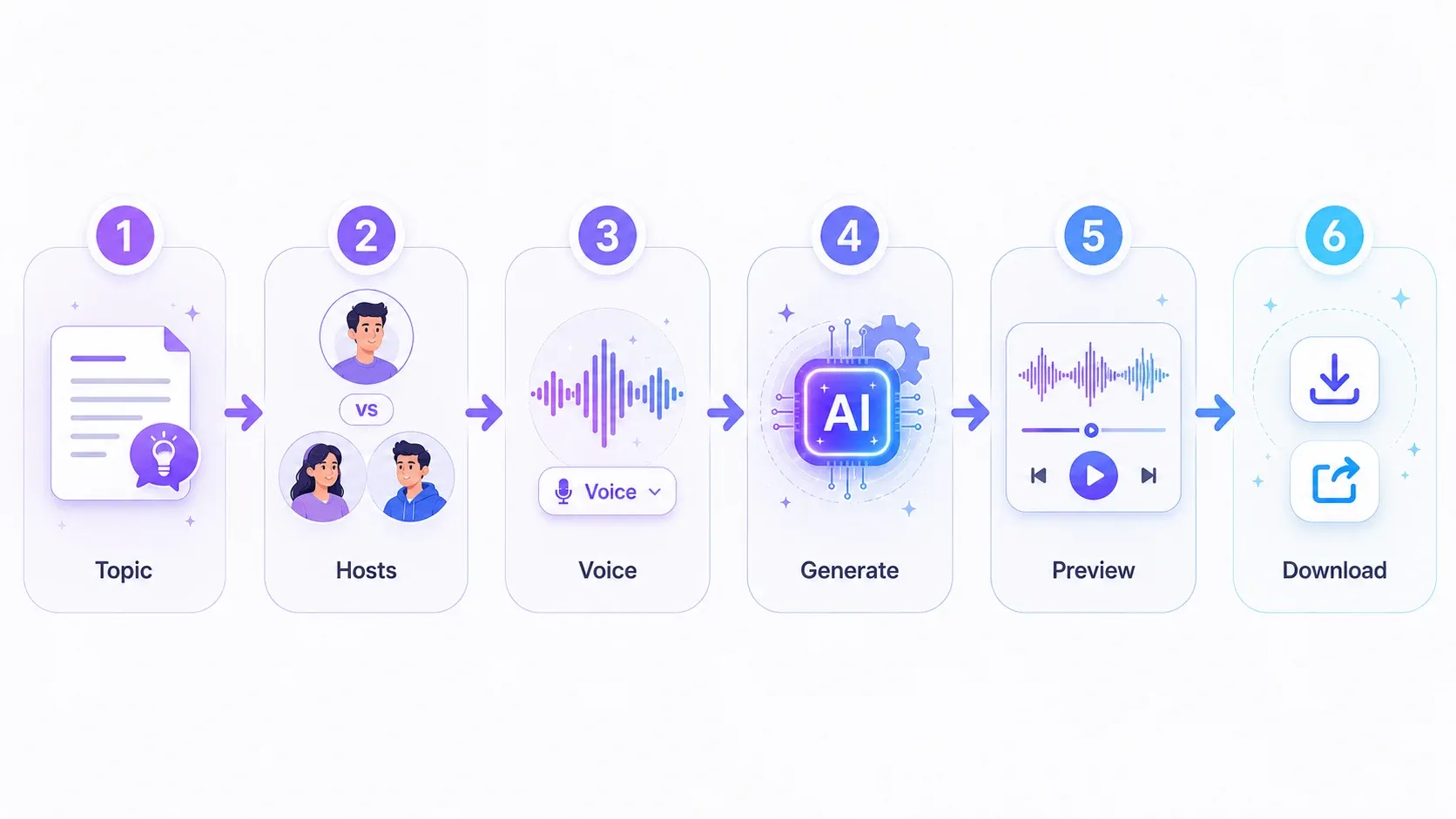
Step 1: Start with a Topic or Script
Open your AI podcast generator and tell it what the episode is about.
You have two options:
- Just a topic — type a single line like "What if AI could read every book ever written?" and let the AI write the conversation for you.
- Your own script — paste in text you've already written when you want full control over what's said.
Step 2: Choose One Host or Two
Decide on the format:
- Single host for a focused, narrated episode — think solo commentary.
- Two hosts for a back-and-forth conversation. This is the format most AI podcasts use, because it feels livelier and is easier to follow.
Step 3: Pick Your Voices
Choose a voice for each host from the voice library. Match the voice to your show's vibe — warm and conversational for a casual chat, clear and confident for news or education.
Pro Tip: For a two-host show, pick voices that contrast — say, one brighter and higher, one calmer and lower. Similar voices blur together and make it hard for listeners to tell who's speaking.
Step 4: Generate the Episode
Click generate. The tool writes (or uses) the script and converts it into audio, assigning each line to the right voice. This takes anywhere from seconds to a couple of minutes depending on length.
Step 5: Preview and Fine-Tune
Listen to the result. If a section feels off, adjust the wording, swap a voice, or tweak the pacing, then regenerate. Small changes to punctuation and sentence length make a big difference — more on that below.
Step 6: Download and Share
Export the finished episode as an audio file. From there, publish it to a podcast host, drop it into a video, or share the link directly.
That's the whole workflow. No studio, no editing suite, no second take.
Single Host vs Two-Host Conversation
The number of hosts changes the entire feel of your episode. Here's how to choose.
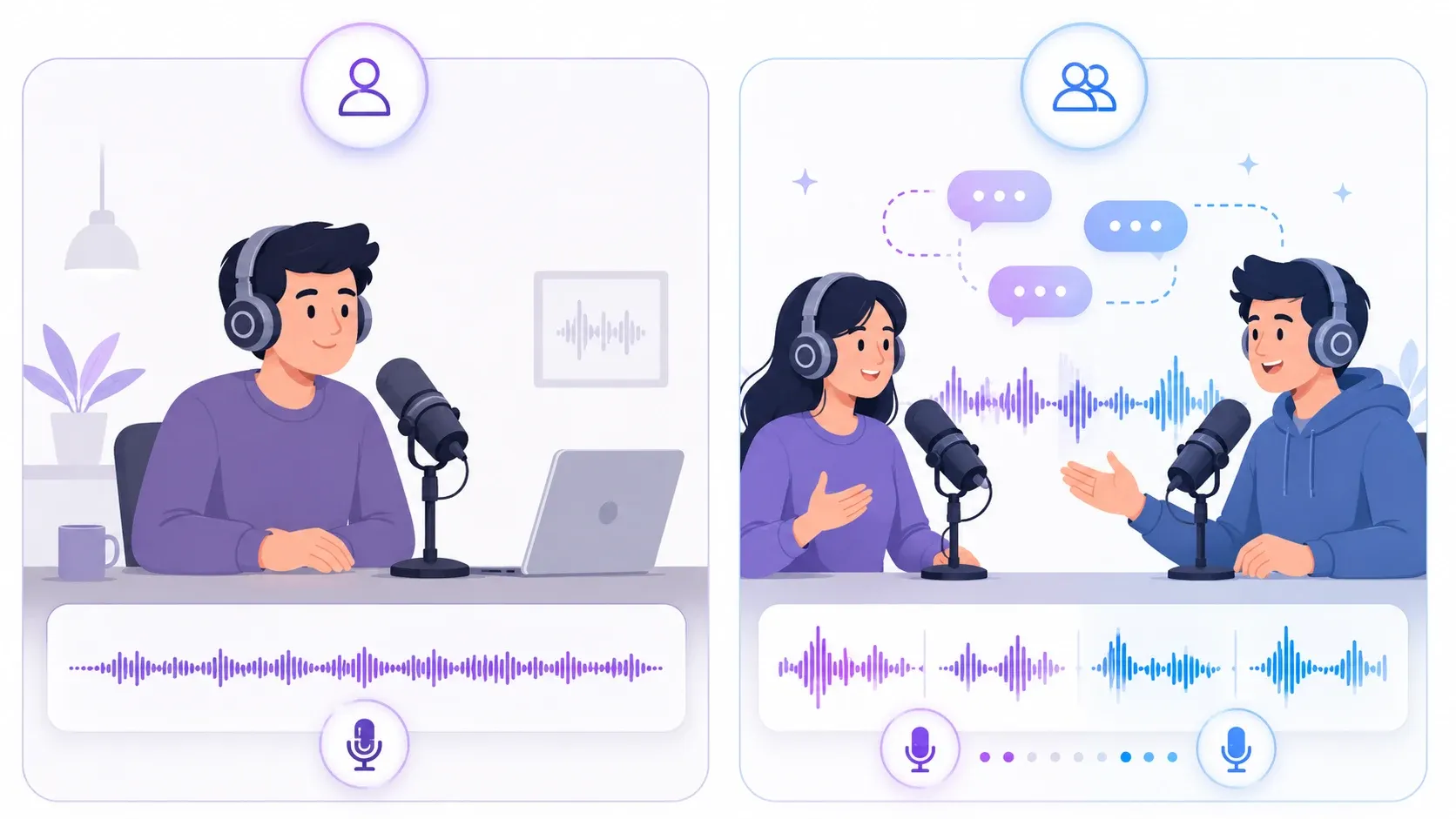
| Single Host | Two Hosts | |
|---|---|---|
| Feel | Focused, authoritative | Lively, conversational |
| Best for | Tutorials, news, commentary | Discussions, interviews, storytelling |
| Pacing | Steady | Dynamic back-and-forth |
| Listener engagement | Good | Often higher |
Two-host shows tend to hold attention longer, because the back-and-forth creates natural variety. A question from one host resets the listener's focus right when it might start to drift.
That said, a single confident narrator is perfect for short, information-dense episodes where a conversation would just pad the runtime.
Turning a Script or Article into a Podcast
Already have something written? You can turn existing text into a podcast instead of starting from a topic.
Paste your script or article into the generator, choose your format and voices, and generate. You get complete control over the wording while still ending up with natural multi-voice audio.
This is ideal for:
- Repurposing a blog post into an audio version
- Turning meeting notes or a newsletter into a quick listen
- Producing a scripted show where every word matters
Tip: Converting a long article? Break it into a back-and-forth between two hosts rather than one long monologue. A question-and-answer rhythm is far easier to listen to than a wall of narrated text. If you'd rather have plain single-voice narration, a text to speech tool reads long-form text start to finish.
Choosing the Right Podcast Voices
The voice you pick matters as much as the script. A great script in the wrong voice falls flat.
Match the voice to your content:
- Conversational voices for casual, friendly shows
- Narrator voices for documentaries and storytelling
- News voices for clear, fast, factual delivery
You can preview options in the voice library before you commit.
Want your podcast to sound like you? You can clone your own voice and use it as one of the hosts — so the show keeps your personality even when AI does the heavy lifting. We cover the full process in our guide on how to clone your voice with AI.
Tips for a Natural-Sounding AI Podcast
The difference between an AI podcast that sounds robotic and one that sounds human comes down to a few habits.
- Write like people talk. Short sentences. Contractions. The occasional "honestly" or "here's the thing." Formal writing sounds stiff out loud.
- Use punctuation to control pacing. Commas create short pauses; periods create longer ones. Add a comma where you want the voice to breathe.
- Give each host a personality. Let one ask the questions and one explain. That contrast is what makes it feel like a real dynamic.
- Keep sentences short. AI voices handle 15-word sentences far better than 40-word ones. Split long thoughts up.
- Read it out loud first. If it feels awkward when you say it, it'll sound awkward when the AI says it.
- Preview before publishing. A 60-second listen catches the one mispronounced name or rushed line that would otherwise slip through.
Do these, and most listeners won't realize they're hearing AI at all.
AI Podcast Use Cases
AI podcasts aren't just for replacing traditional shows. Here's where they really shine.
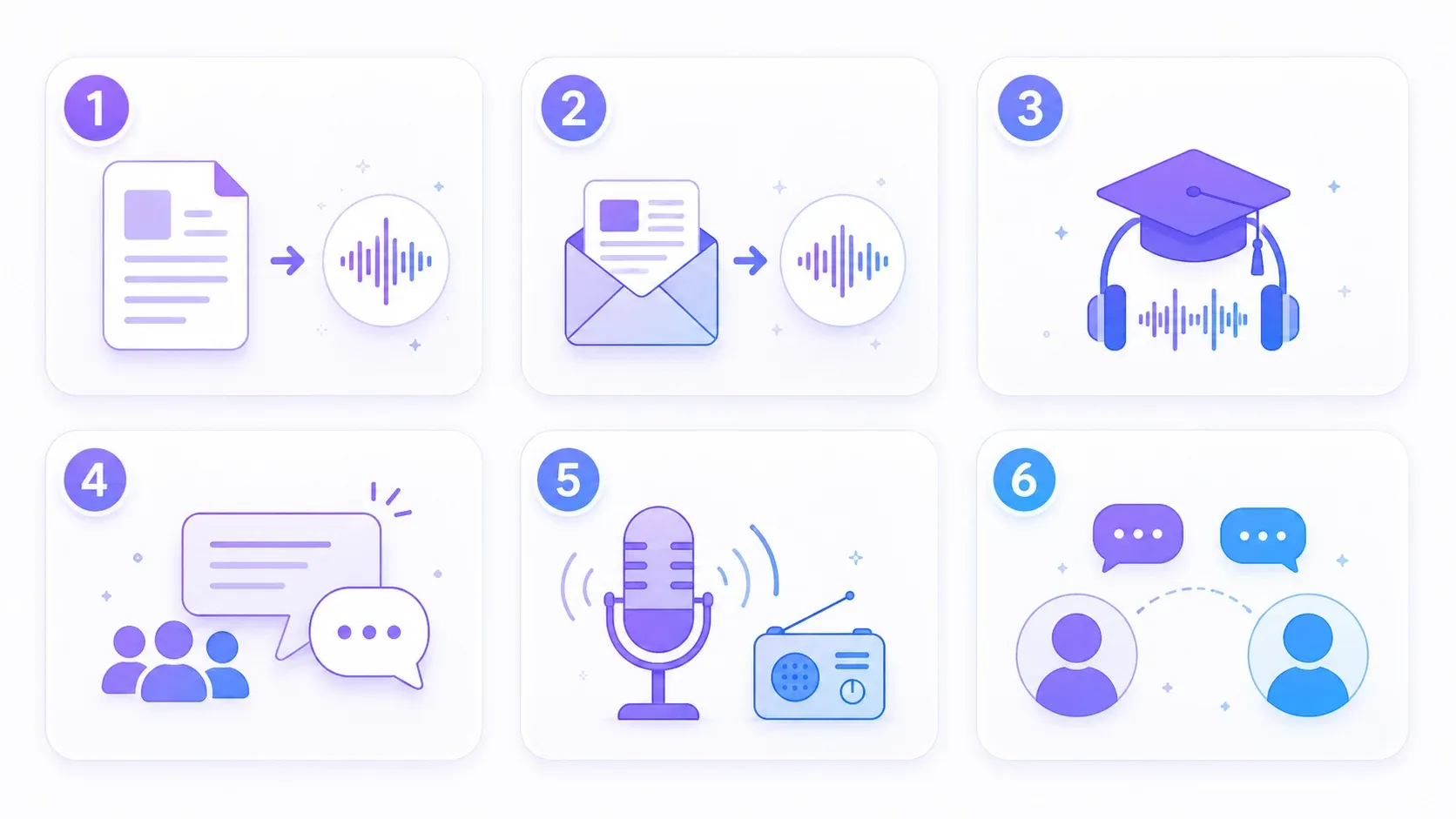
- Content repurposing — turn blog posts and articles into audio episodes.
- Newsletters to audio — let subscribers listen to your newsletter on their commute.
- Learning and study aids — convert notes or summaries into episodes you can review hands-free.
- Internal communications — turn a company update into a quick, friendly briefing.
- Personal radio — generate a daily digest of the topics you care about.
- Interview-style explainers — break down a complex subject as a two-host Q&A.
Each of these takes minutes — which is why teams and creators are adding AI audio to workflows that never had a podcast before. If you publish a show regularly, see how it fits a podcaster's workflow.
Best AI Podcast Tools in 2026
A handful of tools can turn text into spoken audio, but they vary a lot in how complete the workflow is. Here's a quick look at how the options compare.
| Tool | Script Generation | Two-Host Conversation | Voice Cloning | Free to Start |
|---|---|---|---|---|
| AnySpeech | Yes | Yes | Yes | Yes |
| NotebookLM | Yes | Yes | No | Yes |
| Wondercraft | Yes | Yes | Yes | Trial only |
| ElevenLabs | Limited | Yes | Yes | Limited |
The thing to look for is whether a tool handles both the script and the voices — and whether it can produce a real two-host conversation. Plenty of tools read text in a single voice; far fewer generate a natural dialogue you can also host with your own cloned voice.
For a wider look at voice tools beyond podcasting, see our best text to speech tools comparison.
Frequently Asked Questions
Is making an AI podcast free?
You can start for free. AnySpeech's AI Podcast Generator lets you create episodes without paying upfront, and you can try text to speech free with no signup. Longer or higher-volume production is covered by paid plans.
Can I monetize an AI podcast?
Yes. AI-generated audio can be used commercially, including on monetized podcasts and YouTube channels. Just make sure you add your own value — original insight, curation, or commentary — rather than publishing raw generated filler.
Does an AI podcast actually sound human?
Modern AI voices are remarkably natural, with realistic pauses, emphasis, and tone. A two-host conversation with well-written, conversational scripting is very hard to distinguish from a recorded show in casual listening.
How long does it take to make an AI podcast?
Usually just a few minutes — from typing your topic to downloading the finished audio. Longer episodes take a little more processing time, but no more of your effort.
Can I edit the AI-generated script?
Yes. You can rewrite any part of the script before generating, or paste in your own script entirely when you want control over every line.
What languages can I make a podcast in?
AI podcast tools support a wide range of languages. With AnySpeech you can generate episodes in multiple languages and accents, which is handy for reaching international audiences.
Can I use my own voice as a host?
Yes. If you clone your voice, you can use it as one of the podcast hosts so the episode sounds like you — even though AI handles the production.
Start Making Your First AI Podcast
You don't need a studio, a co-host, or editing skills anymore. You need a topic and a few minutes.
Start with one idea. Let the AI turn it into a conversation. Tweak the script until it sounds like you, then download the finished episode.
Ready to try it?
- Open the AI Podcast Generator — turn a topic into a multi-speaker show
- Browse the voice library — find the right hosts for your show
- Clone your own voice — host the episode as yourself
Questions about a workflow we didn't cover? Reach out at support@anyspeech.io and we'll add it to the guide.
Author

Categories
More Posts

How to Use Text to Speech on Mac: The Complete Guide (2026)
Learn how to use text to speech on Mac with built-in tools, shortcuts, and AI voices. Plus how to do speech to text with Dictation — step by step.
Best Audio Isolation Tools in 2026 (10 Tools Tested)
We tested 10 audio isolation tools on both speech and music. Compare separation quality, artifacts, pricing, and free tiers — and find out which type of tool your job actually needs.

10 Best Text to Speech Tools in 2026 (Tested and Ranked)
We tested 30+ TTS tools and picked the 10 best. Compare voice quality, pricing, languages, and features side by side. Includes free options and AI voice cloning.