
Video to Text Converter
Turn any video into accurate, timestamped text in seconds — ready to read, search, or export as subtitles.
 0:26
0:26[Example]Conference talk, 1080p screen recording
00:00:03So the question everyone asks first is: where does the time actually go?
00:00:11We measured it. Roughly forty percent of it goes into work nobody ever sees.
00:00:19And that is the part you can automate away before you hire anyone else.
Why Getting Text Out of Video Matters
Video Is Where the Information Is — and Where It Gets Stuck
A recorded workshop, a customer interview, a two-hour strategy session. The most valuable thinking your team does increasingly happens on camera rather than on paper.
But a video file is opaque. You cannot search it, quote it, skim it, or paste a line of it into a document. Everything said inside it is locked behind playback, and playback runs at one speed: real time.
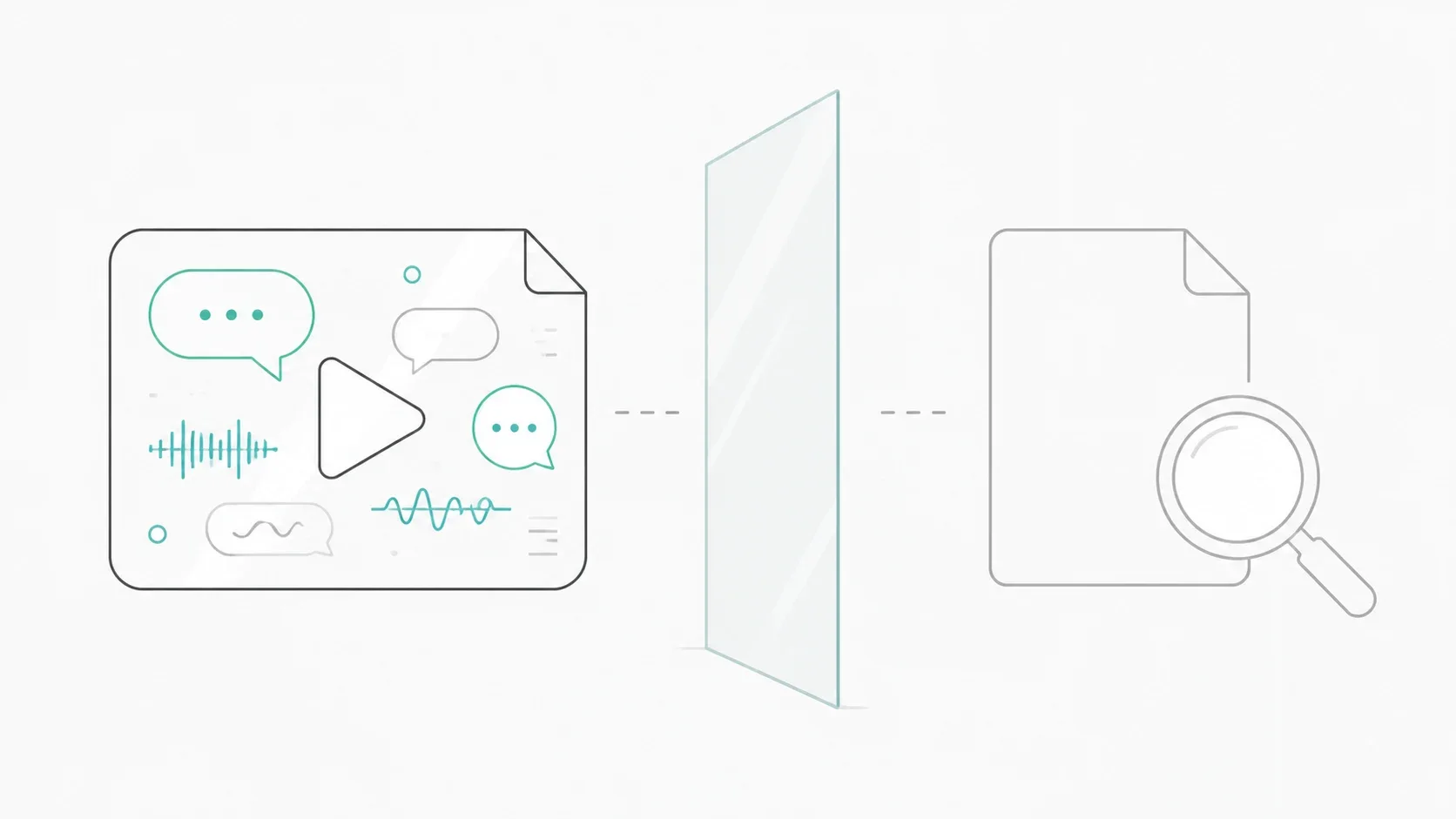
Three Costs of Leaving Video Untranscribed
Those costs are easy to ignore because none of them show up as a line item. They show up as work that quietly never happens.
Lost Search Traffic
Search engines index words, not waveforms. An hour-long video with no transcript is an hour of expert content that no one can find through search.
Lost Accessibility
Viewers who are deaf or hard of hearing, watching without sound, or working in a second language all need text. Without it, they simply leave.
Lost Reuse
One recorded session holds a blog post, a newsletter, and a dozen social clips. None of them get made if extracting the words is a manual chore.
Professional human transcription runs from $2.00 per minute — that is $240 to type up a single two-hour recording. At that price the decision makes itself: most recordings never get transcribed at all. AI transcription changes the math to a few cents per minute, which is what makes transcribing everything realistic in the first place.
What Is a Video to Text Converter?
A video to text converter is a tool that extracts the audio track from a video file and uses speech recognition to turn spoken words into written text, usually with timestamps so each line maps back to a moment in the video.
How AI Video Transcription Actually Works
Three things happen between the file you drop in and the transcript you get back. Knowing them explains most of what determines your result quality.
Step 1 — Audio Extraction
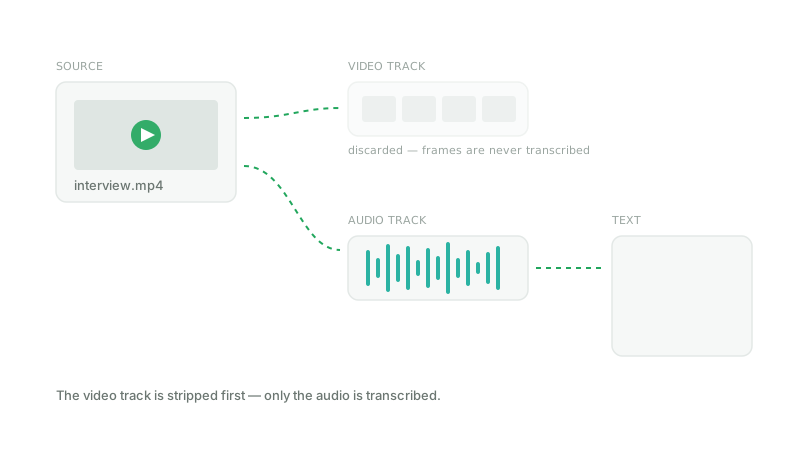
A video file is really two streams bundled together: picture and sound. Only the sound matters here, so the video track is stripped away first. This is also why converting video to text costs the same as audio — the frames are discarded before any transcription happens.
Step 2 — Speech Recognition
The audio is passed through a speech model that maps sound to words. Modern models handle accents, cross-talk, and mixed languages far better than the dictation software of a decade ago, though clean source audio still wins every time.
Step 3 — Punctuation, Timestamps, and Speaker Turns
Raw recognition output is an unbroken string of words. The final pass adds sentence boundaries, capitalisation, and the timecodes that let each line point back at the moment it was spoken.
Transcript vs Subtitles vs Captions — Not the Same Thing
These three words get used interchangeably, and they should not be. Which one you need decides which export format you want.
Transcript
The full text of what was said, formatted to read like a document. Best for search, quoting, notes, and repurposing into written content.
Subtitles
The same words, cut into short timed lines that appear on screen during playback. Delivered as SRT or VTT and usually assume the viewer can hear.
Captions
Subtitles plus non-speech information — laughter, music, a door slamming. Required for genuine accessibility compliance in many contexts.
How to Convert Video to Text in 3 Steps
The whole flow runs in the browser. There is nothing to install and no need to pull the audio out yourself first.
Step 1 — Upload Your Video File
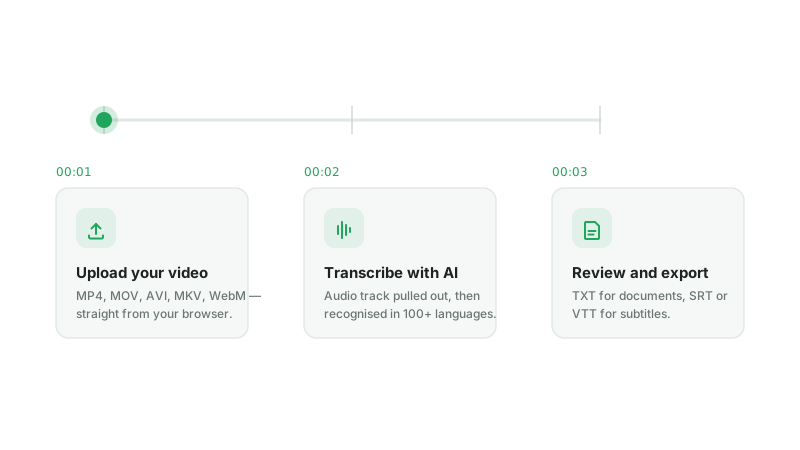
Drag your file onto the uploader or pick it from disk. It goes straight to storage from your browser, so a large recording is not held up by any intermediate size cap, and you get a live progress bar while it travels.
Supported Formats
MP4, MOV, AVI, MKV, and WebM cover essentially everything a camera, phone, or screen recorder produces. There is no need to convert video to text in two hops by exporting an MP3 first — the audio track is pulled out automatically.
File Size and Length Limits
Up to 120 minutes per file, and up to 2GB per video on a paid plan. For reference, 2GB is roughly half an hour of 1080p footage or a full two hours at 480p. Free accounts cover files up to 10 minutes.
Step 2 — Let the AI Transcribe
Processing starts as soon as the upload lands. A ten-minute video typically comes back in under a minute; long recordings are split internally and stitched back together, so a two-hour file behaves the same as a two-minute one.
Choosing the Right Language
The spoken language is detected automatically across 100+ languages, so you rarely have to set anything. If your recording switches languages partway through, each passage is transcribed in the language it was actually spoken in.
How to Get a More Accurate Transcript
Recognition quality is decided by the recording, not by the video to text converter. Four things account for most of the difference between a transcript you can publish and one you have to rewrite.
Record the Voice, Not the Room
A lapel or headset microphone sitting close to the speaker beats an expensive microphone placed across the table. Distance is what lets room echo and background noise into the recording, and no model can separate them out afterwards as cleanly as never capturing them.
Avoid Overlapping Speech
Two people talking at once is the single most common cause of garbled output. In a recorded interview or panel, a short pause before each answer costs nothing and measurably improves the result.
Remove Background Music First
Music sitting under dialogue confuses recognition far more than steady noise like an air conditioner. If your footage has a soundtrack, strip it before transcribing rather than after.
Expect to Fix Names and Jargon
Product names, company names, and technical terms are where even a 97% transcript shows its seams. A find-and-replace pass over the exported text handles this in under a minute, and it is worth doing before the transcript becomes subtitles.
Step 3 — Review and Export
The transcript arrives split into timestamped segments you can read through and correct. Every export runs off the same result, so you can take more than one format from a single transcription.
TXT for Documents
Plain text, with or without timecodes. This is what you want for notes, search, quoting, or feeding the content into a draft.
SRT and VTT for Subtitles
Timed subtitle files that drop straight into YouTube, Premiere, Final Cut, or any player. Upload the SRT alongside your video and captions appear without further editing.
What You Can Do After You Convert Video to Text
A transcript is rarely the actual goal. It is the step that makes four other things cheap, and this is where most of the value shows up.
Repurpose One Video into Five Assets
Once the words exist as text, the recording stops being one deliverable and starts being source material.
Blog Post from a Webinar
A 45-minute webinar transcript is a 3,000-word draft. Editing one down beats writing a new post from an empty page.
Show Notes from an Episode
Pull the timestamps, the links mentioned, and the three best quotes. Twenty minutes of work instead of a re-listen.
Social Clips from Long-Form
Scan the text for the moments worth cutting, then use the timecodes to find them in the edit instantly.

Subtitle Your Video for International Audiences
Export SRT and your video is watchable with the sound off — which is how a large share of social video is consumed in the first place. It also makes the content searchable on platforms that index caption files.
Dub Your Video into 16 Languages
Subtitles let people read your video in another language. Dubbing lets them hear it, with the original speakers' voices carried across. Because everything runs off one shared credit balance, the transcript you just paid for does not need paying for twice.
Clean Up Noisy Source Audio First
If your recording has traffic, air conditioning, or background music under the speech, accuracy suffers before transcription even begins. Stripping the noise first is usually the single biggest quality win available.
Video to Text Pricing — What It Actually Costs
Transcription is billed per minute of media out of one credit balance. There is no per-seat fee, no separate transcription subscription, and no extra charge for exporting the same transcript in more than one format.
What a Minute of Video Transcription Costs
Every minute costs 500 credits regardless of resolution or file size — you are billed for how long the recording runs, not how much it weighs. A 4K screen recording and a phone clip of the same length cost exactly the same.
| Plan | Price | Credits | Video transcription | Per minute |
|---|---|---|---|---|
| Free | $0 | 5,000 one-time | ~10 minutes | Free |
| Basic | $9.99/mo | 50,000 | ~1.6 hours | $0.100 |
| Standard | $19.90/mo | 100,000 | ~3.3 hours | $0.100 |
| Professional | $49.90/mo | 350,000 | ~11.6 hours | $0.071 |
| Premium | $99.00/mo | 800,000 | ~26.6 hours | $0.062 |
| Max | $199.00/mo | 2,000,000 | ~66.6 hours | $0.050 |
Transcription costs 500 credits per minute on every plan; the effective rate drops because larger plans include proportionally more credits. Yearly billing takes a further 20% off.
The Same Credits Cover Every Tool
Credits are not earmarked per feature. The balance that pays for a transcript also pays for dubbing that video into another language, narrating a script, cleaning up noisy audio, or generating a podcast episode. A month heavy on transcription and light on dubbing costs exactly the same as the reverse — nothing expires unused inside a quota you cannot reach.
| What you can do | Rate | What 50,000 credits buys |
|---|---|---|
| Video and audio transcription | 500 credits / min | about 1.6 hours of footage |
| AI Dubbing into 16 languages | 12,000 credits / min | about 4 minutes of dubbed video |
| Voice isolation and cleanup | per task | run it first to lift transcription accuracy |
| Text to speech narration | by character | turn an edited transcript back into audio |
Start with 10 Minutes Free
New accounts include 5,000 credits, roughly ten minutes of transcription — enough to run a real file through and judge the output on your own footage rather than on a demo clip. No credit card is required, and the same credits work on every other tool on the site.
Video to Text Converter vs Manual Transcription
Typing out a recording by hand is still an option, and for a narrow set of jobs it remains the right one. It helps to be specific about which.
AI transcription
Minutes of turnaround, roughly $0.05–$0.10 per minute, accuracy above 95% on clean single-speaker audio. Scales to a backlog of a hundred recordings without extra planning.
Human transcription
Hours to days of turnaround, around $2.00 per minute, and near-perfect accuracy even on difficult audio. Priced per file, so a backlog costs proportionally more.
Speed
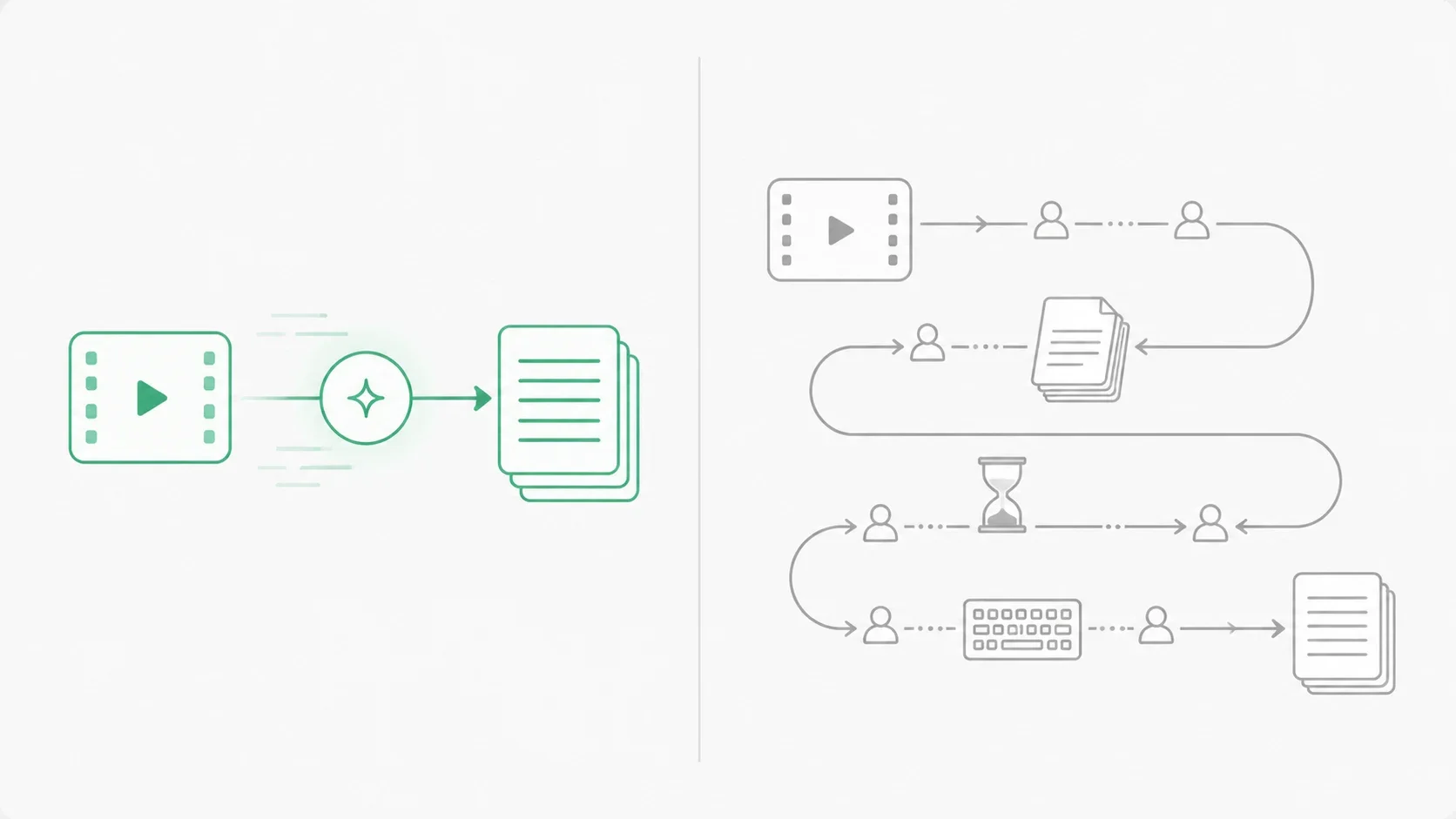
A skilled typist needs roughly four hours per hour of audio. The same file comes back from a video to text converter in minutes, which is the difference between transcribing a recording and deciding it is not worth the trouble.
Cost
At $2.00 per minute against $0.05–$0.10, human transcription costs twenty to forty times more. On a single interview that gap is affordable. Across a season of episodes it decides whether the work happens at all.
When Human Transcription Still Wins
Accuracy requirements are not uniform, and pretending otherwise helps nobody. Some material genuinely needs a person.
Court records, medical dictation, heavy regional accents, and recordings where several people talk over each other are all cases where a human transcriber still outperforms any model. A practical middle path: run AI first, then have someone correct the output. Editing a 95% draft is far faster than typing from scratch.
Frequently Asked Questions
Related Tools
Everything below runs on the same credit balance as your transcriptions.
Convert your first video to text free
Around ten minutes of transcription is included with every new account — enough to run a real recording through and see the output on your own audio.
Transcribe a video