
How to Use Text to Speech on TikTok: The Complete Guide (2026)
Learn how to use TikTok text to speech step by step on iPhone and Android. All voices explained, troubleshooting fixes, plus better AI alternatives for pro-quality voiceovers.
TikTok's text to speech feature changed how creators make videos.
No microphone. No recording. Just type your text, tap a button, and an AI voice reads it out loud over your clip.
But most guides only show you the basics. They skip the good stuff — like which voices actually sound natural, how to fix the annoying bugs, and what to do when TikTok's built-in voices aren't enough.
This guide covers all of it.
You'll learn how to use TikTok text to speech step by step, get a breakdown of every available voice, and discover how to level up your voiceovers with external AI tools that blow TikTok's default options out of the water.
Let's get into it.
What Is TikTok Text to Speech?
TikTok text to speech (TTS) is a built-in feature that converts on-screen text into spoken audio using an AI voice.
You type a caption, select the text, and TikTok generates a voiceover that plays during your video. It's been available since 2020 and quickly became one of the platform's most-used editing features.
A University of British Columbia study found that videos using AI-generated voiceovers saw 24% higher engagement rates. That's not a small bump.
The feature works because it solves a real problem: not everyone wants to record their own voice. Whether it's privacy, accent insecurity, or just convenience, TTS removes the barrier between having an idea and publishing a video.
Why Creators Love Using TTS on TikTok
Here's why text to speech has become a staple for TikTok creators:
- No recording needed. Type and go. No microphone, no quiet room, no retakes.
- Accessibility. TTS makes content accessible to deaf and hard-of-hearing viewers who rely on both captions and audio cues.
- Comedy gold. AI mispronunciations have become their own genre. Some creators deliberately use unusual spelling to get funny results.
- Consistent pacing. The AI reads at a steady speed, which keeps the video rhythm tight — especially for tutorials and lists.
- Anonymity. Storytelling accounts (Reddit reads, confessions, advice) use TTS to share content without revealing their identity.
- Higher watch time. Videos with voiceovers tend to hold attention longer than text-only clips, which feeds the algorithm.
How to Add Text to Speech on TikTok (Step by Step)
The process is nearly identical on iPhone and Android, with minor visual differences. Here's the exact flow.
On iPhone
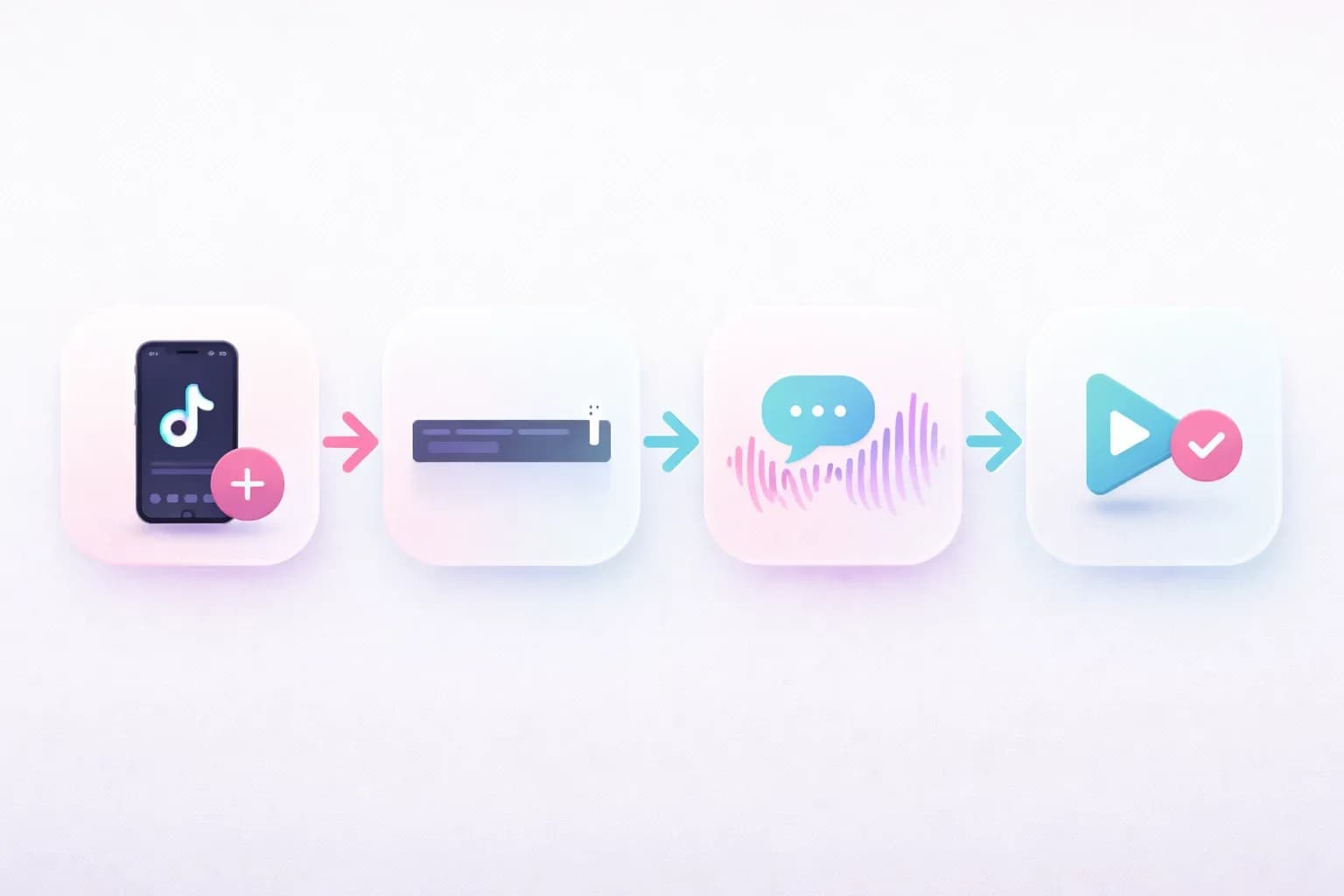
- Open TikTok and tap the + button to create a new video.
- Record or upload your clip.
- Tap Text at the bottom of the editing screen.
- Type your caption and tap Done.
- Tap the text box you just created to open the menu.
- Select Text-to-Speech from the options.
- Choose a voice from the available list. Preview it.
- Tap Done and adjust the text timing on the timeline if needed.
On Android
- Open TikTok and tap + to start creating.
- Record or upload your video.
- Tap Text and type your caption.
- Tap Done, then tap the text box on screen.
- Select Text-to-Speech.
- Pick your voice and preview the result.
- Adjust timing on the clip timeline if needed.
- Tap Next and publish.
Pro Tips for Better TTS Results
Punctuation matters more than you think. Commas create short pauses. Periods create longer ones. Question marks change the intonation. Use them intentionally to control how the voice sounds.
Keep sentences short. Long paragraphs sound flat when read by AI. Break your text into 5-10 word chunks for more natural pacing.
Capitalize for emphasis. Words in ALL CAPS sometimes get slightly more emphasis in TTS playback (results vary by voice).
Test before you post. Always preview the full voiceover. Some words get mispronounced — especially names, slang, and numbers.
Every TikTok Text to Speech Voice Explained
TikTok offers a rotating selection of AI voices. The exact lineup varies by region and gets updated periodically, but here's what's currently available in most markets:
| Voice Name | Style | Best For | Notes |
|---|---|---|---|
| Jessie (Female 1) | Warm, conversational | General content, storytelling | The original "TikTok voice" |
| Joey (Male 1) | Friendly, casual | Tutorials, lists | Smooth and easy to listen to |
| Eddie (Male 2) | Deep, calm | Narration, commentary | Good for serious content |
| Chris (Male 3) | Upbeat, energetic | Comedy, entertainment | Higher energy delivery |
| Alex (Female 2) | Bright, clear | Product reviews, tips | Clean enunciation |
| Narrator | Dramatic, storytelling | Story content, recaps | Cinematic feel |
| Rocket | Animated, playful | Kids content, humor | Exaggerated delivery |
| Ghostface | Spooky, distorted | Horror, Halloween | Seasonal — not always available |
| Singing Voice | Musical | Trends, transitions | Limited availability |
The Story Behind the Famous "Siri Voice"
If you've been on TikTok for a while, you remember the original female voice. It sounded a lot like Siri — clean, slightly robotic, but weirdly compelling.
That voice belonged to Bev Standing, a Canadian voice actress. She recorded those lines for a different project and never gave TikTok permission to use them.
Here's what happened next.
In 2021, Standing filed a lawsuit against ByteDance. TikTok quietly replaced her voice with a new one — performed by Kat Callaghan. The new "Jessie" voice is warmer and more conversational, but some creators still miss the original.
This is actually one of the biggest reasons creators look for alternatives. Your favorite TikTok voice can disappear overnight — and you have no control over it.
Character and Seasonal Voices
TikTok occasionally adds limited-time character voices (Ghostface around Halloween, for example) and experimental voices. These are fun but unreliable — they show up without warning and disappear just as fast.
Some voices are region-locked too. A voice available in the US might not show up for users in Europe or Asia.
Why TikTok's Built-in Voices Feel Limited
Let's be honest about the downsides:
- Roughly 10 English voices. That's it. If none of them fit your brand, you're stuck.
- No speed or pitch control. You get what you get. No adjustments.
- No emotion control. Every line sounds the same — happy, sad, sarcastic, it all comes out in one flat tone.
- Mobile only. You can't use TikTok TTS on desktop or PC. At all.
- No voice cloning. You can't create a custom voice that sounds like you.
- Voices disappear. As the Bev Standing situation showed, a voice you build your brand around can vanish.
So what do you do when you need more?
Best Text to Speech Tools for TikTok Creators
If TikTok's built-in voices aren't cutting it, here are the best alternatives. All of them let you generate audio separately and import it into your TikTok videos.
| Tool | Voices | Languages | Voice Cloning | Emotion Control | Free Plan | Starting Price |
|---|---|---|---|---|---|---|
| AnySpeech | 200+ | 100+ | Yes | Yes | Unlimited (Basic) | $9.99/mo |
| ElevenLabs | 100+ | 32 | Yes | Limited | 10K chars/mo | $5/mo |
| CapCut | 20+ | 10+ | No | No | Yes | Free |
| TTSMaker | 100+ | 50+ | No | No | Yes (free) | Free |
| TikTok Built-in | ~10 | 10+ | No | No | Yes | Free |
Why AnySpeech Stands Out for TikTok Creators
The biggest difference? Flexibility.
TikTok gives you 10 voices. AnySpeech gives you 200+ across 100+ languages — from warm conversational tones to dramatic narration styles.
And you're not locked into your phone. Generate voiceovers on your laptop, your tablet, or any device with a browser. This alone is a game-changer if you edit on desktop.
But here's the real kicker.
AnySpeech lets you clone your own voice from a 10-second audio clip. Once cloned, you can generate unlimited speech that sounds like you — with adjustable emotions. Happy, calm, excited, serious — you pick the delivery for each line.
For creators building a personal brand, this means a consistent voice across every single video. No more hoping TikTok doesn't remove your favorite AI voice.
The free tier gives you unlimited Basic voices with no signup. When you need premium quality, plans start at $9.99/month.
How to Add AI Voiceover to TikTok (External Audio)
Generated your voiceover outside TikTok? Here's how to get it into your video.
Method 1: Import Directly into TikTok
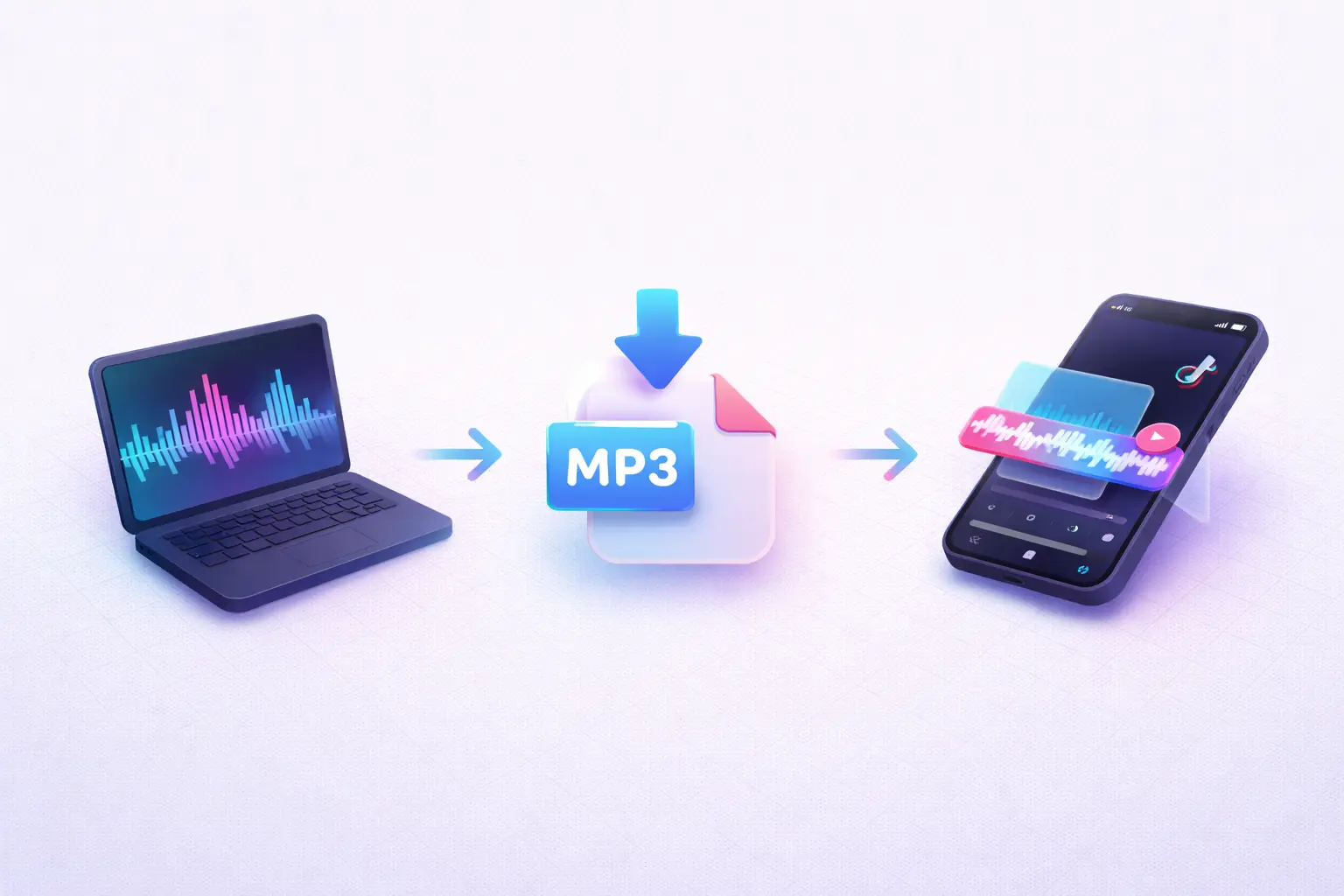
- Generate your voiceover on AnySpeech or any TTS tool.
- Download the MP3 to your phone.
- Open TikTok and tap + to create a video.
- Record or upload your clip.
- Tap Add Sound at the top, then My Sound.
- Select the MP3 file you downloaded.
- Adjust the timing on the timeline so the voiceover syncs with your visuals.
- Add captions, effects, and publish.
Method 2: Use CapCut for More Control
CapCut (made by ByteDance, same company as TikTok) gives you a proper timeline editor — which makes syncing much easier.
- Generate and download your voiceover MP3.
- Open CapCut and create a new project.
- Import your video clip.
- Tap Audio → Sound → From Device and select the MP3.
- Trim, split, and adjust the audio on the multi-track timeline.
- Add captions using CapCut's auto-caption feature.
- Export the final video.
- Upload to TikTok from your camera roll.
Method 2 takes an extra step but gives you much better control over timing, volume levels, and audio layering.
7 Creative Ways to Use TTS on TikTok
Need inspiration? Here's how top creators are using text to speech:
1. Reddit Story Narration. The classic. Grab a compelling Reddit thread, split it into parts, and let TTS narrate while you show gameplay footage or ambient clips. Entire channels are built on this format.
2. Product Reviews Without Showing Your Face. Type your honest take on a product, use TTS for the voiceover, and show close-up shots of the item. Clean, anonymous, and effective.
3. Language Learning Content. Use TTS in different languages to teach pronunciation. AnySpeech supports 100+ languages, which opens up content for basically any language pair.
4. "AI vs Human" Voice Challenge. Record yourself saying something, then generate the same line with AI. Let your audience guess which is which. These get insane engagement.
5. Audiobook Teasers. Read a gripping excerpt from a book with a dramatic AI voice. Link to the full audiobook in your bio. Great for book influencers.
6. Intentional Mispronunciation Comedy. Spell words weirdly to make the AI say them funny. This sounds dumb but it's one of TikTok's most reliable comedy formats.
7. Consistent Brand Voice Series. Clone your voice once, then use it across every video in a series. Your audience associates that voice with your content — even when you don't feel like recording.
TikTok Text to Speech Not Working? Here's How to Fix It
TTS bugs are frustratingly common. Here are the most frequent issues and how to solve them:
| Problem | Likely Cause | Fix |
|---|---|---|
| TTS option doesn't appear | Outdated app version | Update TikTok to the latest version |
| Voice doesn't change after selecting | Text not properly selected | Delete the text box and recreate it |
| Only one voice available | Region restriction | Switch account region in settings, or use an external TTS tool |
| TTS sounds different than preview | Known TikTok bug | Re-apply TTS or reinstall the app |
| Feature disappeared entirely | A/B testing or account flag | Clear cache, log out/in, or use an external tool |
| Can't use TTS on PC | Not supported on desktop | Use a web-based tool like AnySpeech instead |
| Specific voice is gone | TikTok removed it | The voice was likely retired — use an external tool with permanent voices |
The nuclear option: If nothing works, generate your voiceover on an external tool and import the audio file. This bypasses all TikTok TTS bugs entirely and gives you better voice quality anyway.
Frequently Asked Questions
How do I turn on text to speech on TikTok?
Create a video, add a text overlay, tap the text box, and select "Text-to-Speech" from the popup menu. Choose a voice and tap Done. The AI voice will play over your video wherever that text appears on the timeline.
Can I use TikTok text to speech on PC or desktop?
No. TikTok's built-in TTS is only available in the mobile app. If you create content on a computer, use a web-based tool like AnySpeech to generate your voiceover, download the MP3, and import it into your video editor.
Why did TikTok change the text to speech voice?
In 2021, voice actress Bev Standing sued ByteDance for using her voice without permission. TikTok replaced her voice with a new one performed by Kat Callaghan. This is why the "original TikTok voice" sounds different now.
How do I get the Siri voice on TikTok?
The voice people call the "Siri voice" was the original TikTok TTS voice (Bev Standing's). It's been replaced. The current closest option is the "Jessie" voice in TikTok's voice selector. For a more Siri-like tone, try generating audio with an external TTS tool that offers more voice variety.
Is TikTok text to speech free?
Yes, completely free. It's a built-in feature available to all TikTok users at no cost. However, you're limited to the voices TikTok provides. External tools offer free tiers too — AnySpeech's Basic voices are free and unlimited.
What languages does TikTok TTS support?
TikTok supports TTS in approximately 10-15 languages including English, Spanish, French, German, Portuguese, Japanese, Korean, and Indonesian. The exact list varies by region. If you need more languages, external tools like AnySpeech support 100+ languages.
Can I use my own voice on TikTok without recording every time?
Not with TikTok's built-in features. But you can clone your voice using an AI tool like AnySpeech — upload a 10-second clip, and generate unlimited speech in your voice. Then import the audio into TikTok.
How do I add a voiceover to TikTok without recording?
Two options: (1) Use TikTok's built-in text to speech feature. (2) Generate a voiceover with an external AI tool, download the MP3, and add it to your TikTok video as a sound file. Method 2 gives you better quality and more voice choices.
What's the best text to speech tool for TikTok?
For most creators, AnySpeech offers the best combination of quality, variety, and price. It has 200+ voices, 100+ languages, voice cloning, and a free tier — all accessible from any device. Check out our full TikTok TTS tool to try it.
Can I use AI-generated voiceovers on TikTok commercially?
Yes. TikTok does not prohibit AI voiceovers in videos, including monetized content and brand deals. Most external TTS tools (including AnySpeech) allow commercial use. Always check the specific tool's terms to be safe.
Start Creating Better TikTok Videos Today
TikTok's text to speech is a solid starting point. It's free, it's fast, and it works.
But when you outgrow the 10 built-in voices — and you will — the workflow is simple. Generate better audio with an external tool, download the MP3, and import it into your video.
No more settling for a voice that doesn't fit your content. No more worrying about TikTok removing your favorite voice overnight.
Try the free TikTok text to speech tool — no account needed — and hear the difference for yourself.
Author

Categories
More Posts

How to Use AI Text to Speech: Complete Guide for Beginners (2025)
Learn how to use AI text to speech tools step by step. Discover free options, compare voice quality, and get practical tips for creating natural-sounding voiceovers.
How to Clone Your Voice with AI in 2026 (Step-by-Step + Best Tools)
Learn how to clone your voice with AI in about 30 seconds. A step-by-step guide to voice cloning, getting the best quality, adding emotion, cloning in other languages — plus the ethics.
Text to Speech for Accessibility: A Guide for Dyslexia, ADHD & Low Vision (2026)
How text to speech helps with dyslexia, ADHD, and low vision — who it helps, what the research says, what to look for in a tool, and how to start reading by ear for free.