
10 Best Text to Speech Tools in 2026 (Tested and Ranked)
We tested 30+ TTS tools and picked the 10 best. Compare voice quality, pricing, languages, and features side by side. Includes free options and AI voice cloning.
Picking a text to speech tool in 2026 shouldn't be this hard.
There are dozens of options out there. Some sound robotic. Some cost a fortune. And most "best of" lists are just ads in disguise.
So we took a different approach. Our team spent 40+ hours testing over 30 text to speech tools across real-world tasks — YouTube scripts, audiobook chapters, marketing copy, and accessibility testing.
The result? A shortlist of 10 tools that actually deliver.
In this guide, you'll get honest reviews with real pros and cons, a side-by-side feature comparison, and specific recommendations based on what you actually need.
Let's jump in.
Quick Comparison: The 10 Best TTS Tools at a Glance
Before we break each one down, here's the big picture:
| Tool | Best For | Free Plan | Starting Price | Languages | Voice Cloning | Rating |
|---|---|---|---|---|---|---|
| AnySpeech | Overall value | Yes (unlimited) | $9.99/mo | 100+ | Yes | 9.5/10 |
| ElevenLabs | Voice quality | Yes (limited) | $5/mo | 32 | Yes | 9.3/10 |
| Murf | Business teams | Yes (limited) | $19/mo | 20+ | No | 8.8/10 |
| NaturalReader | Document reading | Yes | $13.90/mo | 18 | No | 8.5/10 |
| Speechify | Mobile users | Yes (limited) | $11.58/mo | 30+ | No | 8.3/10 |
| Play.ht | Voice variety | Yes (limited) | $31.20/mo | 142 | Yes | 8.5/10 |
| LOVO | Video creators | Yes (limited) | $19/mo | 100+ | Yes | 8.4/10 |
| Amazon Polly | Developers | Pay-per-use | ~$4/1M chars | 30+ | No | 8.0/10 |
| TTSMaker | Zero cost | Yes (free) | Free | 50+ | No | 7.5/10 |
| Fliki | Short-form video | Yes (limited) | $28/mo | 75+ | No | 8.2/10 |
Now let's look at each one in detail.
How We Tested These Tools
We didn't just skim feature pages. We actually used each tool.
Here's what we evaluated — and how we weighted each factor:
| Criteria | Weight | What We Measured |
|---|---|---|
| Voice Quality | 30% | Naturalness, clarity, emotional range |
| Language Support | 15% | Number of languages and accent variety |
| Ease of Use | 20% | Interface design, learning curve, speed |
| Pricing & Value | 20% | Cost per character, free tier quality |
| Special Features | 15% | Voice cloning, emotion control, API, export options |
Every tool was tested with the same 500-word English script and a 200-word passage in Spanish, Mandarin, and German.
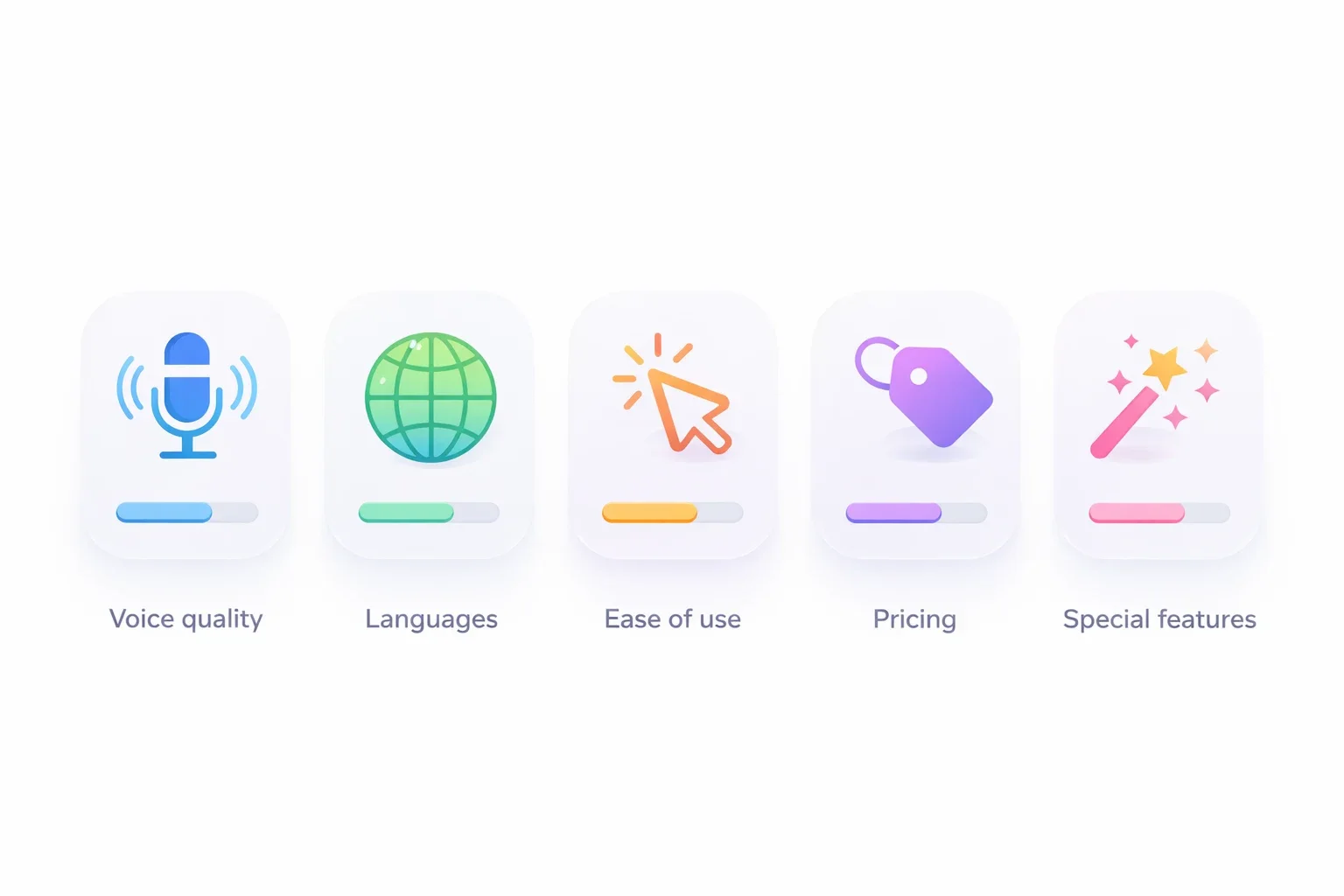
We paid attention to things that matter in practice: mouth-feel (does it sound like a real person?), pronunciation of names and numbers, and how well it handles long paragraphs without sounding flat.
Here's what we found.
The 10 Best Text to Speech Tools in 2026
#1. AnySpeech — Best Overall Value
| Rating | 9.5 / 10 |
| Price | Free / $9.99+ per month |
| Free Plan | Yes — unlimited Basic voices, no signup needed |
| Languages | 100+ |
| Voice Cloning | Yes (with emotion control) |
| Best For | Anyone who wants free + premium in one place |
Most text to speech tools force you to pick a lane. You either get a free tool with mediocre voices, or you pay $20+/month for the good stuff.
AnySpeech doesn't make you choose.
The free tier gives you unlimited access to Basic voices across 100+ languages. No account required. No credit card. You just type, click, and download.
But here's where it gets interesting.
When you need higher quality — for a YouTube video, a client project, or a podcast intro — the Advanced and Pro voices are noticeably better. They handle pauses, emphasis, and tone shifts in a way that sounds genuinely human.
The voice cloning feature is also worth mentioning. Upload a 10-second audio clip, and you get a clone of that voice with adjustable emotion settings. Happy, calm, excited — you control the delivery. Very few tools offer this level of control.
What we like:
- Truly free tier with no strings attached (no signup, no watermark)
- Three quality levels in one platform (Basic, Advanced, Pro)
- Voice cloning with emotion control — a rare combo
- Clean interface that doesn't overwhelm you
- 200+ premium voices across 100+ languages
What could be better:
- Basic voices are decent but not premium quality
- Voice cloning needs a paid plan
- No desktop app (web-only)
Pricing: Free plan available. Paid plans start at $9.99/month with credits. Annual billing saves 20%.
The bottom line: If you want a single platform that covers free text to speech, premium AI voices, and voice cloning, AnySpeech gives you the most flexibility for the money.
#2. ElevenLabs — Premium Quality at a Premium Price
| Rating | 9.3 / 10 |
| Price | Free / $5+ per month |
| Free Plan | Yes (10,000 characters/month) |
| Languages | 32 |
| Voice Cloning | Yes |
| Best For | Premium quality when budget isn't a concern |
ElevenLabs has built a reputation for high-quality, expressive AI voices.
Their voices handle emotional nuance well — a sentence that might sound flat elsewhere comes alive with subtle inflections and natural pacing.
The trade-off is cost and flexibility, which is where it loses ground to all-in-one platforms.
The downside? It gets expensive fast. The free plan caps you at 10,000 characters per month — roughly one medium blog post. And the paid plans use a credit system that can feel unpredictable if you're doing high-volume work.
What we like:
- Natural, expressive voice output
- Strong voice cloning capabilities
- Good selection of pre-built voices
- Active development with frequent updates
What could be better:
- Free plan is very limited (10K characters)
- Pricing can add up quickly for heavy users
- 32 languages — solid, but not the broadest
- Interface has a learning curve
Pricing: Free plan with 10,000 chars/month. Paid starts at $5/month (30,000 chars).
The bottom line: ElevenLabs delivers excellent quality, but the limited free plan and credit-based pricing add up fast — and it covers fewer languages than the broader platforms. If the bill is your concern, compare the best ElevenLabs alternatives.
#3. Murf — Best for Marketing and Business Teams
| Rating | 8.8 / 10 |
| Price | Free trial / $19+ per month |
| Free Plan | Free trial (no downloads) |
| Languages | 20+ |
| Voice Cloning | No |
| Best For | Marketing teams, corporate presentations |
Murf positions itself as the "enterprise-ready" text to speech tool, and it shows.
The interface is polished. The voice selection is curated rather than overwhelming. And there are built-in features for team collaboration — shared projects, brand voice presets, and batch processing.
If you're creating marketing videos, training materials, or product demos for a team of 5+, Murf streamlines the workflow.
But here's the thing.
The free trial doesn't let you download anything. You can only preview. And without voice cloning, you're limited to their pre-built voice library.
What we like:
- Professional, team-oriented interface
- Good voices for business content
- Built-in video editor with voice sync
- Brand voice consistency features
What could be better:
- No voice cloning
- Free trial is preview-only (no downloads)
- Limited to 20+ languages
- Higher starting price ($19/mo)
Pricing: Free trial available. Paid plans start at $19/month.
The bottom line: Murf is a solid pick for businesses that need polished voiceovers with team collaboration. Individual creators will likely find better value among the best Murf alternatives.
#4. NaturalReader — Best for Reading Documents Aloud
| Rating | 8.5 / 10 |
| Price | Free / $13.90+ per month |
| Free Plan | Yes (with usage limits) |
| Languages | 18 |
| Voice Cloning | Yes (personal use only) |
| Best For | Reading PDFs, emails, and articles aloud |
NaturalReader is the tool you want when you just need to listen to something.
It's not trying to be a video voiceover platform or a podcast studio. It reads your documents out loud — clearly and reliably.
The Chrome extension is particularly useful. Highlight text on any webpage, click the button, and it reads it to you. Simple.
For students, researchers, and anyone who processes large amounts of text, this is a daily-driver kind of tool.
What we like:
- Excellent Chrome extension for web reading
- Supports PDFs, docs, and ebooks natively
- Simple, no-nonsense interface
- OCR for scanned documents
What could be better:
- Fewer AI voices compared to competitors
- Personal plans are licensed for personal use only
- 18 languages (limited)
- Not ideal for content creation workflows
Pricing: Free plan available. Personal plans start at $13.90/month; publishing commercially requires the separate Commercial product from $29/month.
The bottom line: If you mainly need text to speech for reading documents and web content, NaturalReader does that one thing very well. If you plan to publish what you generate, note the personal-use license and compare the best NaturalReader alternatives.
#5. Speechify — Best for Mobile and On-the-Go Use
| Rating | 8.3 / 10 |
| Price | Free / $11.58+ per month |
| Free Plan | Yes (limited voices) |
| Languages | 30+ |
| Voice Cloning | No |
| Best For | Listening to content on your phone |
Speechify made its name with a mobile-first approach, and the app experience shows it.
The mobile app is fast, clean, and genuinely pleasant to use. You can scan physical books with your camera, import PDFs, or paste in text — and Speechify starts reading immediately.
It also integrates with your Kindle library and web browser, which is great for pulling in content from different sources.
But the premium pricing is aggressive. And the free plan locks you into a small set of basic voices.
What we like:
- Best-in-class mobile app experience
- Camera OCR for physical books
- Kindle and browser integration
- Celebrity and character voices (premium)
What could be better:
- Aggressive upselling in the free version
- No voice cloning
- Premium is pricey for what you get
- Desktop experience lags behind mobile
Pricing: Free plan with basic voices. Premium at $11.58/month (billed annually).
The bottom line: If you primarily consume content on your phone and want the best mobile listening experience, Speechify is the go-to choice. For voiceover and content creation, compare the best Speechify alternatives.
#6. Play.ht — Best Voice Library
| Rating | 8.5 / 10 |
| Price | Free trial / $31.20+ per month |
| Free Plan | Yes (limited) |
| Languages | 142 |
| Voice Cloning | Yes |
| Best For | Finding the exact right voice |
Play.ht's biggest strength is sheer variety.
With 900+ voices across 142 languages, the odds of finding exactly the voice you need are pretty good. Looking for a middle-aged British male with a warm tone? They probably have three options.
The voice cloning feature is solid too, and they offer an API for developers who need to integrate TTS into their own apps.
The catch? It's one of the more expensive options on this list.
What we like:
- Massive voice library (900+ voices)
- 142 languages — the widest selection we tested
- Voice cloning available
- Developer API
What could be better:
- Expensive ($31.20/mo starting price)
- Interface can feel cluttered
- Voice quality varies across the library
- Free plan is quite limited
Pricing: Free trial. Paid plans start at $31.20/month.
The bottom line: If language coverage and voice variety are your priorities, Play.ht has the deepest catalog. But you'll pay a premium for that breadth — see the cheaper Play.ht alternatives.
#7. LOVO — Best for Video Creators
| Rating | 8.4 / 10 |
| Price | Free trial / $19+ per month |
| Free Plan | Yes (with watermark) |
| Languages | 100+ |
| Voice Cloning | Yes |
| Best For | Creating voiceovers for video content |
LOVO (and its Genny platform) combines text to speech with a built-in video editor.
Instead of generating audio in one tool and syncing it in another, you do everything in one place. Type your script, pick a voice, and LOVO generates the voiceover synced to your video timeline.
For YouTube creators, course builders, and social media managers, this saves a real amount of time.
What we like:
- Built-in video editor with voice sync
- 30+ emotions for voice customization
- 500+ voices across 100+ languages
- AI script generation
What could be better:
- Free plan adds a watermark
- Video editor is basic compared to dedicated editors
- Can feel slow with longer content
- Voice cloning quality varies
Pricing: Free trial with watermark. Paid starts at $19/month.
The bottom line: If your workflow involves video + voiceover and you want to keep everything in one tool, LOVO is a smart time-saver. If you only need the voiceover side, compare other LOVO alternatives.
#8. Amazon Polly — Best for Developers
| Rating | 8.0 / 10 |
| Price | Pay-per-use |
| Free Plan | AWS free tier (5M chars/month for 12 months) |
| Languages | 30+ |
| Voice Cloning | No |
| Best For | Building TTS into apps and services |
Amazon Polly isn't a tool you open in your browser and start typing into. It's an API — built for developers who need to add text to speech to their own applications.
If you're building a voice assistant, an e-learning platform, or an automated phone system, Polly is reliable, scalable, and cheap at volume.
But if you're a content creator or marketer looking for a quick voiceover? This isn't for you.
What we like:
- Rock-solid reliability (AWS infrastructure)
- Extremely cost-effective at scale
- SSML support for fine-tuned control
- Neural voices are improving fast
What could be better:
- No consumer-facing interface
- Requires technical knowledge to set up
- Voice quality trails behind ElevenLabs and AnySpeech
- No voice cloning
Pricing: Pay-per-use. Approximately $4 per 1 million characters for standard voices.
The bottom line: Polly is the right choice for developers who need production-grade TTS at scale. Everyone else should look elsewhere.
#9. TTSMaker — Best Completely Free Option
| Rating | 7.5 / 10 |
| Price | Free |
| Free Plan | Yes (completely free) |
| Languages | 50+ |
| Voice Cloning | No |
| Best For | Basic TTS without any cost |
TTSMaker is exactly what it sounds like — a free, no-frills text to speech tool.
No account needed. No credit card. No character limits (within reason). You type text, pick a voice, and get an MP3.
The voice quality won't blow you away. But for quick tasks — testing a script, creating a study aid, or generating placeholder audio — it does the job.
What we like:
- Genuinely free with no hidden catches
- No registration required
- 50+ languages supported
- Simple, fast interface
What could be better:
- Voice quality is noticeably below premium tools
- No voice cloning or emotion control
- Limited customization (speed and pitch only)
- Some voices sound robotic
Pricing: Free.
The bottom line: TTSMaker is fine for occasional, low-stakes use. If quality matters, pair it with a premium tool like AnySpeech's free tier for better results at zero cost.
#10. Fliki — Best for Short-Form Video Content
| Rating | 8.2 / 10 |
| Price | Free / $28+ per month |
| Free Plan | Yes (5 minutes/month) |
| Languages | 75+ |
| Voice Cloning | No |
| Best For | TikTok, Reels, and YouTube Shorts |
Fliki is built specifically for short-form video creators.
You paste in a script (or a blog post URL), and Fliki automatically generates a video with matching stock footage, subtitles, and AI voiceover. It's remarkably fast for what it does.
If your content strategy revolves around social media shorts, Fliki compresses what used to be a 2-hour workflow into 15 minutes.
What we like:
- Blog-to-video conversion is genuinely useful
- Auto-subtitles included
- Good voice quality for short content
- 75+ languages with accent variety
What could be better:
- Free plan is limited (5 mins/month)
- Not ideal for long-form content
- $28/month starting price is steep for casual users
- No voice cloning
Pricing: Free plan (5 min/month). Paid starts at $28/month.
The bottom line: Fliki is a specialized tool for social media video creators. If that's you, it's worth trying. Otherwise, it's overkill.
Side-by-Side Feature Comparison
Here's how all 10 tools stack up across the features that matter most:
| Feature | AnySpeech | ElevenLabs | Murf | NaturalReader | Speechify | Play.ht | LOVO | Amazon Polly | TTSMaker | Fliki |
|---|---|---|---|---|---|---|---|---|---|---|
| Voice Quality | Excellent (Advanced/Pro) | Excellent | Very Good | Good | Good | Good | Very Good | Good | Basic | Good |
| Languages | 100+ | 32 | 20+ | 18 | 30+ | 142 | 100+ | 30+ | 50+ | 75+ |
| Voice Cloning | Yes | Yes | No | No | No | Yes | Yes | No | No | No |
| Emotion Control | Yes | Limited | No | No | No | No | Yes | No | No | No |
| Free Plan | Unlimited | 10K chars | Preview only | Limited | Limited | Limited | Watermark | 5M chars* | Free | 5 min |
| Video Editor | No | No | Yes | No | No | No | Yes | No | No | Yes |
| API Access | No | Yes | Yes | No | No | Yes | Yes | Yes | No | Yes |
| Mobile App | No | Yes | No | Yes | Yes | No | Yes | No | No | Yes |
| Commercial Use | Yes | Yes | Yes | Yes | Yes | Yes | Yes | Yes | Check terms | Yes |
| Starting Price | $9.99/mo | $5/mo | $19/mo | $13.90/mo | $11.58/mo | $31.20/mo | $19/mo | Pay-per-use | Free | $28/mo |
*Amazon Polly free tier is for 12 months only.
Which Tool Is Right for You?
Not every tool fits every workflow. Here are our picks by use case.
Best for Content Creators and YouTubers
Top pick: AnySpeech. The multi-tier voice system means you can draft with free voices and produce final audio with Advanced or Pro. Pair that with voice cloning for a consistent channel voice.
Runner-up: LOVO. If you want voiceover + video editing in one tool.
Best for Business and Marketing Teams
Top pick: Murf. Team collaboration features, brand voice presets, and polished output make it the natural fit for marketing departments.
Runner-up: ElevenLabs. A solid option for premium client-facing voiceovers.
Best for Students and Accessibility
Top pick: NaturalReader. Chrome extension + PDF support = ideal for reading coursework.
Runner-up: Speechify. If you need a strong mobile experience for listening on the go.
Best for Developers
Top pick: Amazon Polly. Scalable, cheap at volume, and backed by AWS.
Runner-up: Play.ht. Offers a developer API with a massive voice library.
Best Free Text to Speech Tool
Top pick: AnySpeech. Unlimited free usage with no signup and 100+ languages — try it here.
Runner-up: TTSMaker. Completely free with no account needed, but lower voice quality.
How to Choose the Best Text to Speech Tool

Still not sure? Ask yourself these five questions.
1. What's Your Main Use Case?
This is the most important question.
Reading documents? NaturalReader. Making YouTube videos? AnySpeech or LOVO. Building an app? Amazon Polly. The "best" tool depends entirely on what you're doing with it.
2. How Important Is Voice Quality?
If your audio will be published — on YouTube, in a podcast, or in a product — voice quality matters a lot. Prioritize AnySpeech's Advanced/Pro tier or ElevenLabs.
For internal use, drafts, or studying? Free tools work fine.
3. Do You Need Voice Cloning?
Only four tools on this list offer voice cloning: AnySpeech, ElevenLabs, Play.ht, and LOVO. And only AnySpeech offers emotion control on cloned voices.
If you want a consistent "brand voice" across all your content, cloning is worth paying for.
4. What's Your Budget?
Here's a realistic breakdown:
| Budget | Best Options |
|---|---|
| $0 (free) | AnySpeech (free tier), TTSMaker |
| Under $15/month | AnySpeech ($9.99), NaturalReader ($9.99), Speechify ($11.58) |
| $15-30/month | Murf ($19), LOVO ($19), Fliki ($28) |
| $30+/month | Play.ht ($31.20), ElevenLabs (higher tiers) |
| Pay-per-use | Amazon Polly |
5. How Many Languages Do You Need?
If you work in English only, every tool on this list will serve you well.
For multilingual content, the differences are huge:
- 142 languages: Play.ht
- 100+ languages: AnySpeech, LOVO
- 75+ languages: Fliki
- 50+ languages: TTSMaker
- Under 35: ElevenLabs, Speechify, Amazon Polly, NaturalReader, Murf
Frequently Asked Questions
What is the best text to speech tool in 2026?
Based on our testing, AnySpeech offers the best overall value with its combination of free unlimited Basic voices, premium Advanced/Pro options, and voice cloning with emotion control. The "best" depends on your specific needs and budget.
Is there a free text to speech tool that actually sounds good?
Yes. AnySpeech's free tier provides unlimited text to speech across 100+ languages without requiring an account. The Basic voices are powered by Google's TTS engine and sound natural for most everyday tasks. TTSMaker is another solid free option.
Can I use AI text to speech for YouTube videos?
Absolutely. Most tools on this list allow commercial use, including YouTube. However, voice quality matters — viewers notice robotic audio. We recommend using Advanced or Pro-tier voices for published content. YouTube does not penalize AI-narrated videos as long as the content provides value.
What is voice cloning and which tools support it?
Voice cloning creates a digital copy of a real voice from a short audio sample. You can then generate new speech that sounds like the original speaker. AnySpeech, ElevenLabs, Play.ht, and LOVO all offer voice cloning. AnySpeech is unique in adding emotion control to cloned voices.
How much does text to speech software cost?
Prices range from free to $30+/month. Free options like AnySpeech's Basic tier and TTSMaker cost nothing. Mid-range tools run $10-20/month. Premium platforms with large voice libraries or advanced features start at $25-30/month. Developer tools like Amazon Polly charge per character (~$4 per million).
Can I use text to speech for commercial purposes?
Most paid tools include commercial use rights. Free tiers vary — always check the terms. AnySpeech allows commercial use on all tiers. When in doubt, check the specific tool's license agreement before publishing.
What languages do text to speech tools support?
Coverage ranges from 18 (NaturalReader) to 142 (Play.ht). Most tools support major languages like English, Spanish, French, German, and Mandarin. For less common languages, AnySpeech (100+), Play.ht (142), and LOVO (100+) offer the broadest support.
Is AI-generated speech detectable?
Premium AI voices in 2026 are extremely difficult to distinguish from human speech in casual listening. Basic or free-tier voices are more likely to sound synthetic. For most content creation purposes — videos, podcasts, marketing — modern AI voices pass unnoticed.
What's the difference between Basic and Advanced AI voices?
Basic voices (like Google TTS) are clear and functional but can sound flat in longer passages. Advanced voices (like those in AnySpeech and ElevenLabs) use neural networks to add natural pauses, emphasis, and emotional variation. The difference is immediately noticeable in a side-by-side comparison.
How do I convert text to speech online for free?
The simplest way: visit a free text to speech tool, paste your text, select a language, and click generate. No software installation needed. You can download the result as an MP3 file for use in any project.
Final Verdict
If we had to pick just one tool, it would be AnySpeech.
Not because it's perfect at everything — it's not. Play.ht covers more languages. Murf is better for team workflows. Other tools specialize in narrower niches.
But AnySpeech is the only platform where you can start for free with no limits, upgrade to premium voices when you need them, and clone your own voice with emotion control — all in one place.
That versatility is hard to find.
Whatever tool you choose, the best advice we can give is this: start with the free tier and test it with your actual content. A tool that sounds great on a demo sentence might not work for your specific use case.
Working with existing recordings rather than generating new ones? We ran the same kind of test on cleanup tools in the best audio isolation tools of 2026.
Ready to give it a try? Start generating speech for free — no account needed.
Author

Categories
More Posts

How to Use AI Text to Speech: Complete Guide for Beginners (2025)
Learn how to use AI text to speech tools step by step. Discover free options, compare voice quality, and get practical tips for creating natural-sounding voiceovers.
How to Get a Transcript of a YouTube Video (6 Ways, 2026)
Get a transcript of any YouTube video: built-in Show transcript, phone, free generators with TXT/SRT export, YouTube Studio, videos with no captions, and code.
How to Clone Your Voice with AI in 2026 (Step-by-Step + Best Tools)
Learn how to clone your voice with AI in about 30 seconds. A step-by-step guide to voice cloning, getting the best quality, adding emotion, cloning in other languages — plus the ethics.