AI Music Generator

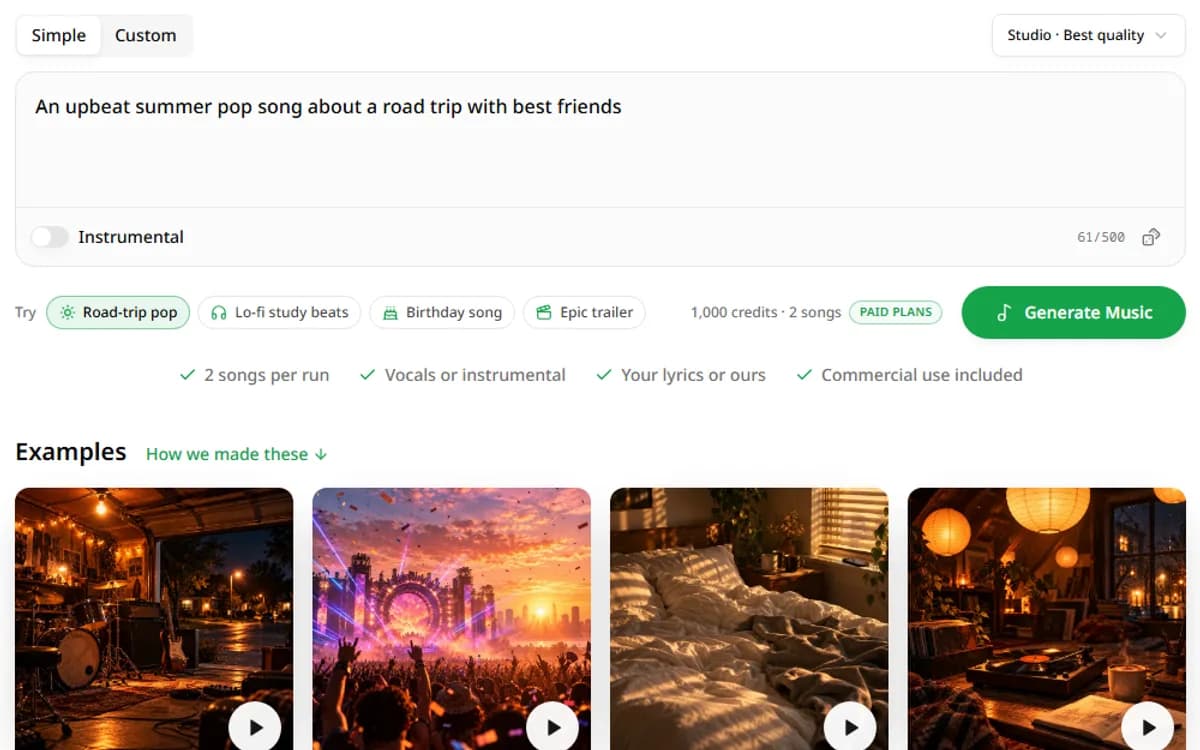
Describe a mood or paste your lyrics. Get two full songs with vocals in about a minute.

0/500
Try

1,000 credits · 2 songs

  • 2 songs per run
  • Vocals or instrumental
  • Your lyrics or ours
  • Commercial use included
Garage Lights

Garage Lights

Energetic alternative rock at around 150…

Neon Afterglow

Neon Afterglow

Euphoric progressive house EDM at 126 BPM

Slow Sunday

Slow Sunday

Smooth contemporary R&B slow jam around…

Paper Lantern Notes

Paper Lantern Notes

Lo-fi hip hop with laid-back swung drums…

TRACK 01

Songs Made With Our AI Music Generator

Every example below shows the exact input next to the two versions it produced. Press play, then copy the input into the generator and make your own take.

Call It a Route cover

Acoustic Pop: Call It a Route

One sentence in Simple mode. The AI wrote the lyrics, the arrangement and the vocals.

Simple mode

Prompt

An upbeat acoustic pop song about a summer road trip with friends

Call It a Route

Call It a Route

Version A

Call It a Route

Call It a Route

Version B

Paper Cup Rain cover

Late-Night Indie Pop: Paper Cup Rain

Custom mode with our own lyrics and a detailed style prompt: tempo, instruments and voice.

Custom mode

Style

Mellow late-night indie pop ballad around 82 BPM. Warm Rhodes piano, soft brushed drums, round upright bass, and gentle nylon-string guitar.

Lyrics

[Verse 1]
Late night, the windows shine
Rain keeps time on the glass
You trace circles in the steam
Like you don't want this to pass
Paper Cup Rain

Paper Cup Rain

Version A

Paper Cup Rain

Paper Cup Rain

Version B

Clock Out Dream cover

Boom Bap Hip Hop: Clock Out Dream

Rap verses and a hook. The style line sets the 90 BPM groove and the vocal delivery.

Custom mode

Style

Boom bap hip hop around 90 BPM. Dusty sampled piano loop, crisp hard-hitting kick and snare, deep round bass, light vinyl crackle and record scratches between sections.

Lyrics

[Verse 1]
Punch in when the sky go black
Name tag on, no time to slack
Forklift hum and a mop that gleams
I’m stacking hours like I stack these dreams
Clock Out Dream

Clock Out Dream

Version A

Clock Out Dream

Clock Out Dream

Version B

Golden Hour Drive cover

Instrumental Vlog Music: Golden Hour Drive

Instrumental switched on. A one-line style is enough for clean background music.

Custom mode

Style

upbeat cinematic background music for a travel vlog, warm acoustic guitar, light percussion, soft strings, hopeful and bright

Instrumental · no lyrics

Golden Hour Drive

Golden Hour Drive

Version A

Golden Hour Drive

Golden Hour Drive

Version B

Nothing here was edited after it came out of the AI music generator. Each run gives two versions, and we kept both so you can hear how far one input can travel.

TRACK 02

What Is an AI Music Generator?

LINER NOTE

An AI music generator is software that turns a text description or your own lyrics into a finished song, with melody, arrangement, vocals and mixing done by a trained model. You describe the result, and the model composes it in about a minute.

You don't need to play an instrument, read music or own a studio. You describe the sound in plain words, the way you would brief a producer.

AI-made music is no longer a niche. In July 2026, the streaming service Deezer reported that fully AI-generated tracks passed 50% of its daily new uploads for the first time (Deezer, July 2026).

Listeners rarely notice. In a Deezer and Ipsos survey of about 9,000 people in eight countries, 97% could not tell fully AI-generated songs from human-made ones (Deezer and Ipsos, November 2025).

Diagram: a text prompt becomes lyrics, then an arrangement, then a finished song

How Text Becomes a Finished Song

Behind the Generate button, our AI music generator runs four stages in one pass.

1. Reading Your Prompt

The model pulls genre, mood, tempo, instruments and voice out of your words. "Upbeat indie pop at 118 BPM" gives it far more to work with than "a happy song".

2. Writing the Lyrics

In Simple mode it writes verses, a pre-chorus and a chorus that fit your idea. In Custom mode it sings your lyrics as written.

3. Composing the Arrangement

It builds the melody, chords, drums and bass, and shapes the song into sections: intro, verses, a lift into the chorus, a bridge and an outro.

4. Singing and Mastering

A generated vocal performs the lyrics, then the mix is balanced and mastered. You get two different versions to compare.

Simple Mode vs. Custom Mode

The generator has two ways in. Pick the one that matches how much you want to control.

Side A

Simple

  • One sentence in, two songs out
  • Lyrics written for you
  • Best for background music and quick ideas
Side B

Custom

  • Your title, your lyrics, your style
  • Section tags control the structure
  • Best for songwriters and personal songs

TRACK 03

How to Make an AI Song in 4 Steps

Making a song takes a minute of typing and a minute of waiting. Here's the whole process.

Step 1: Describe Your Song or Paste Your Lyrics
01

Step 1: Describe Your Song or Paste Your Lyrics

Start in Simple mode with one sentence about the song. Or switch to Custom mode and paste lyrics you wrote yourself.

What a Good Prompt Includes

Name a genre, a mood, a tempo, two or three instruments and the kind of voice. Add what the song is about. Specific words beat long sentences.

How to Tag Verses and Choruses

Put section tags such as [Verse], [Chorus] and [Bridge] on their own line above each part. The Structure menu inserts them for you.

Step 2: Choose the Style, Voice and Length
02

Step 2: Choose the Style, Voice and Length

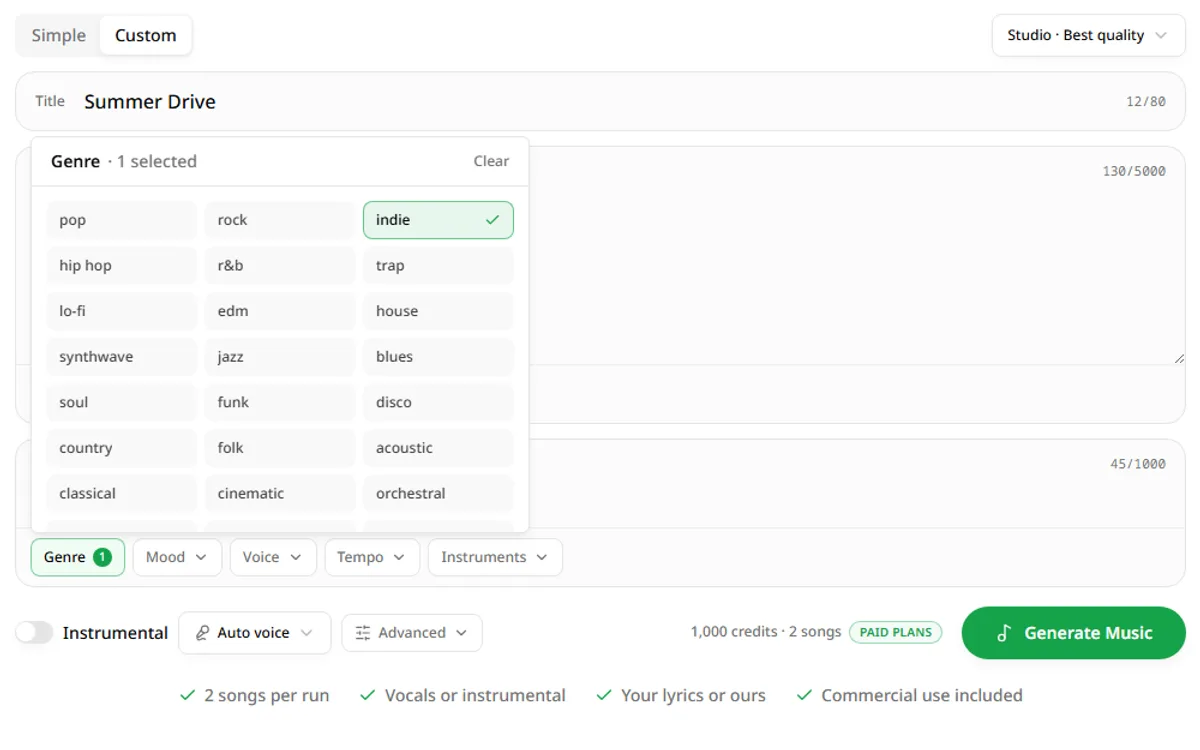
In Custom mode, type a style or pick tags from Genre, Mood, Voice, Tempo and Instruments. Set a male or female voice, and open Advanced to fix the length or leave it on Auto.

Leave Duration on Auto for most songs. Set it when you need a 30-second ad bed, or a track that matches the exact length of a video.

Composing your song…

03

Step 3: Generate Two Versions

Press Generate Music. One generation costs 1,000 credits and returns two songs, usually in about a minute. Each version takes the idea in its own direction.

Generation runs in the background. You can start writing your next idea while the first one renders, and two generations can run at the same time.

Call It a Route

Call It a Route

Version A

Upbeat acoustic pop with a brisk

Call It a Route

Call It a Route

Version B
Upbeat acoustic pop with a brisk

04

Step 4: Download, Reuse or Remix

Play both, download the MP3 you like and copy the lyrics if you need them. Reuse the same settings to try a new take, or tweak one tag and generate again.

Every finished song is saved to your history, so you can come back later and download it again from any device.

Pro tip: generate first, then edit. Two quick runs with small changes teach you more than one long, perfect prompt.

That's the whole workflow. Most people get a song they actually use from an AI music generator within three or four tries, so treat the first run as a sketch.

TRACK 04

What You Can Create With an AI Music Generator

Most people come with a specific job in mind. These are the six we see most often.

A creator's desk at sunset with a laptop showing a video timeline and music track, headphones and a camera on a tripod

Background Music for YouTube and TikTok

Stock libraries are full of tracks every other creator already used. Generate an instrumental that fits your edit and its pace. Set the length to match the cut and you won't have to loop or trim.

YouTube voiceover generator
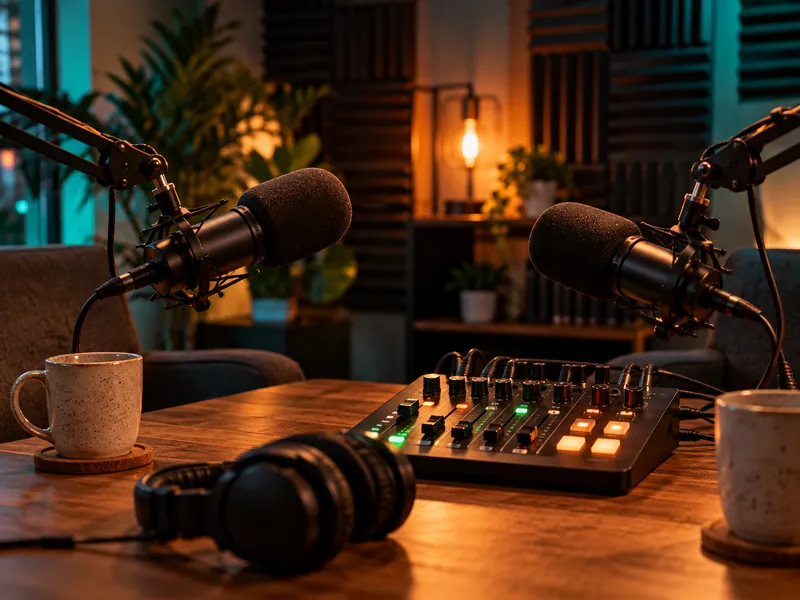
Two podcast microphones on boom arms facing each other over an audio mixer and headphones in a warmly lit studio

Podcast Intros and Outros

A ten-second sting tells listeners which show they're on. Make one, then build the episode with our AI podcast generator. Keep it instrumental so it never competes with the first words of the episode.

AI podcast generator
Friends raising glasses over a birthday cake with lit candles while a phone plays a song on the table

Personalized Songs for Birthdays and Weddings

Put names, inside jokes and real memories into Custom mode lyrics. A song written about one person lands harder than any card. Generate a few versions and send the one that makes you smile.

Headphones and a laptop showing an audio waveform on a meeting table in front of a whiteboard full of sticky notes

Jingles and Brand Sounds

Test five jingle directions in an afternoon instead of waiting a week for one demo. Keep the hook short and the brand name in the chorus. Short lines with repeated words are the easiest for the model to make catchy.

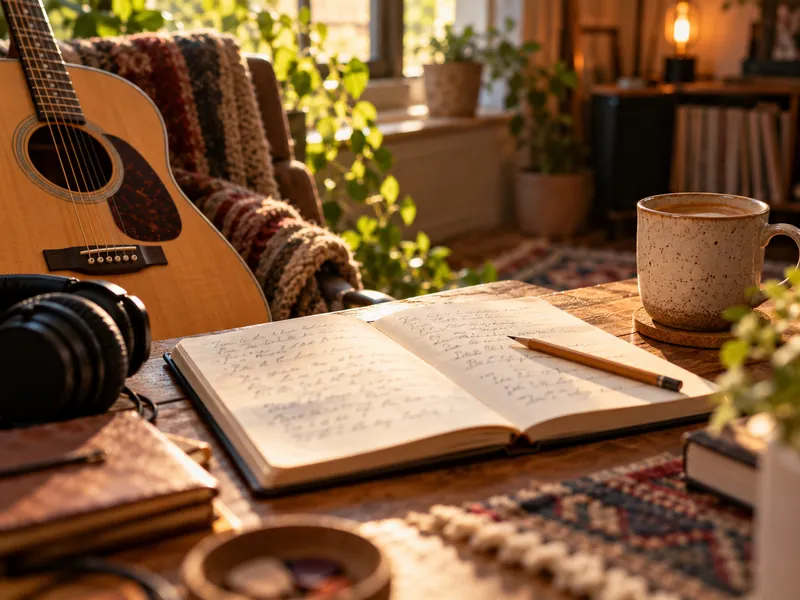
An open notebook of handwritten lyrics beside an acoustic guitar, headphones and a cup of coffee

Songwriting Demos

Hear your lyrics sung before you book a studio. Swap genres to find the arrangement that fits the words. A rough AI demo is often enough to pitch a song to a band or a client.

A gaming desk at night with a pixel-art platformer on the monitor, a backlit keyboard and a game controller

Music for Games and Apps

Menu loops, level themes and background beds. Instrumental mode keeps them free of vocals that fight with gameplay audio. Ask for a seamless, steady groove when the music will loop.

Whatever the job, the AI music generator gives you a draft in a minute. The two versions per run make it easy to pick a direction before you spend more time.

Three layered tracks: music, vocals and a voiceover, combined into one project

TRACK 05

Music and Voice in One Place

A song is often only half the project. The video needs narration, the podcast needs hosts, the karaoke night needs an instrumental. AnySpeech covers the rest of the job.

A typical project looks like this: make a 60-second lo-fi bed, write the script for your product demo, then render the narration in a warm, clear voice. Both parts use the same credits and both download as MP3.

Add a Voiceover on Top of Your Track

Generate an instrumental here, then write the narration with our AI text to speech: 200+ voices in 50+ languages. Lay the two together in any editor.

Open Text to Speech

Split Vocals and Instrumental

Need a karaoke version or a clean acapella? Run any song through the vocal remover and download both stems.

Open Vocal Remover

One Credit Balance for Every Tool

The same credits pay for songs, voiceovers, transcription and voice cloning. You don't buy a separate music plan.

TRACK 06

Genres, Moods and Voices You Can Generate

The AI music generator handles everything from bedroom lo-fi to full orchestral scores. Combine tags freely; the model blends them.

Pop
Hip Hop
R&B
Rock
EDM
Lo-fi
Country
Jazz
K-pop
Latin
Cinematic
Folk

Popular Genres

Pop, rock, hip hop, R&B, EDM, country, jazz, K-pop, Latin, cinematic and more. Add an era ("80s", "90s") to steer the production style. Blends often work well too: "country trap", "jazz hip hop" or "cinematic pop".

Moods and Tempo

Mood words shape the chords and energy. A BPM number gives you exact control over the pace, which matters when you edit to a beat. Contrast is worth trying: a sad lyric over an upbeat track is a classic pop move.

happyupliftingchillromanticdreamynostalgicmelancholicdarkepicenergetic80 bpm120 bpm

Vocals or Instrumental

Every generation can be sung or purely instrumental, and one switch decides. Sung tracks follow your lyrics, or lyrics the AI writes from your idea.

Male, Female or Duet

Choose a male or female voice in Custom mode, or add "duet", "choir" or "raspy vocals" to the style. Describe the voice; don't name a real singer.

Instrumental Tracks With No Vocals

Turn on Instrumental for beats, study music, game loops and video beds. Describe the instruments and the scene the music should fit. "Rainy café, soft piano, brushes on the snare" gives the model a picture to score.

TRACK 07

AI Music Generator Pricing: Songs per Plan

AI Music is part of every paid AnySpeech plan. There's no separate music subscription and no per-song fee on top.

What One Generation Costs

One generation costs 1,000 credits and returns two full songs. If a generation fails, the credits go straight back to your balance.

How Many Songs Each Plan Makes

Monthly credits per plan, and how many songs they make if you spend them all on music. Yearly billing saves 20%.

PlanPrice / monthCredits / monthGenerationsSongs
Basic$9.9950,00050100
Standard$19.90100,000100200
Professional$49.90350,000350700
Premium$99.00800,0008001,600
Max$199.002,000,0002,0004,000

Custom music from a composer is usually priced per track, and stock music is licensed per project. With an AI music generator you pay per generation and can keep making new versions until one fits.

Song Length, Formats and Storage

The model picks a natural length, usually two to four minutes. In Custom mode you can set anything from 30 seconds to 6 minutes. Songs download as MP3 and stay in your history.

2 songs per run
Up to 6 minutes
MP3 download
Saved to your history
Compare all plans

TRACK 08

Prompt Tips for Better AI Songs

The input decides most of what you get out of any AI music generator. Five habits make the biggest difference.

Use the Five-Part Prompt Formula

Cover five slots: genre, mood, tempo, instruments and voice. Leave one out and the model guesses it for you.

Indie pop, carefree summer mood, 118 BPM, jangly guitars and handclaps, warm female vocals

Prompts this specific usually land on the first or second try.

Do

  • Name one main genre and one era
  • Give a BPM when the pace matters
  • Tag every lyric section

Don't

  • Name real artists or songs
  • Paste lyrics you don't have rights to
  • Stack ten genres in one prompt

Describe the Voice, Not the Singer

Prompts that name real artists are rejected, and your credits are returned. Describe the sound instead: "raspy male vocals", "airy female vocals", "powerful soul voice". Adjectives about texture and range work better than famous names anyway.

Tell It What to Leave Out

Use Exclude styles in Advanced to keep out what you don't want, like "autotune" or "heavy distortion". It's faster than rewriting the whole prompt. Exclusions work best when they're short: two or three words each.

Copy-Ready Prompts

Click any card to load it into the generator.

Upbeat Pop

“An upbeat summer pop song about a road trip with best friends, bright guitars, catchy chorus”

Lo-fi Study Beat

“Instrumental lo-fi hip hop with mellow piano and vinyl crackle, for late-night studying”

Cinematic Trailer

“Epic cinematic trailer music with booming drums, rising strings and a big final hit”

Acoustic Birthday Song

“A warm acoustic birthday song for my best friend Sam, who loves coffee and long walks”

Small edits beat rewrites. Change one slot at a time, generate again, and compare the new pair with the last one.

TRACK 09

Can You Use AI Music Commercially?

Yes, with a few rules that apply to every AI music generator, not only ours.

Commercial use is included

AI Music runs on paid plans, so every song you generate can be used in videos, ads, podcasts, games and client work.

Copyright is still settling

The US Copyright Office's 2025 report on AI found that prompts alone don't make you the author. Lyrics you write yourself can still be protected.

Never imitate a real artist

Don't present a song as a real singer's work, and don't use lyrics you don't own. Requests like that are blocked.

YouTube, Streaming and Content ID

You can upload AI songs to YouTube and social platforms. Some distributors ask whether a track was made with AI, and some won't register AI tracks with Content ID. Check the current rules of the platform you publish on, and keep your generation history as a record.

If a client asks for paperwork, your plan invoice and the generation date in your history show when the track was made and on which account.

Frequently Asked Questions

Your next song is one sentence away

Describe it, generate it, and hear two versions in about a minute.

Last updated: October 28, 2026