
Voice Isolator
Supprimez le bruit de fond de n'importe quel audio avec l'IA, instantanément.
Écoutez la Différence
Découvrez comment notre IA isole la voix du bruit de fond
[Exemple]Bruit de fond dans un café
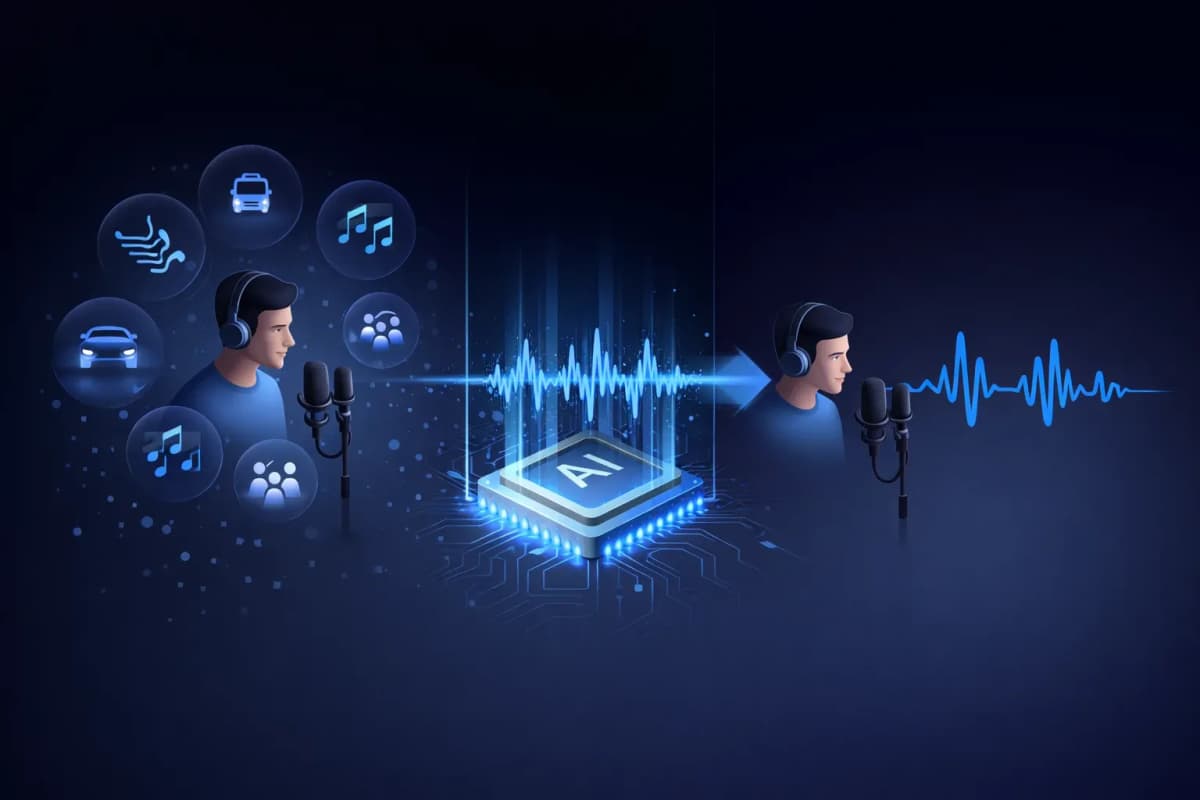
Qu'est-ce qu'un Isolateur Vocal?
Un isolateur vocal est un outil alimenté par l'IA qui sépare la parole humaine du bruit de fond dans les enregistrements audio. Contrairement aux filtres de bruit traditionnels qui réduisent simplement les niveaux de volume, notre isolateur vocal IA utilise des réseaux neuronaux d'apprentissage profond pour identifier et extraire les motifs vocaux tout en supprimant les sons indésirables comme la musique, le trafic, le vent et le bruit ambiant. Le résultat est un audio vocal propre, de qualité studio, qui sonne comme s'il avait été enregistré dans un environnement professionnel.
Fonctionnalités Clés de Notre Isolateur Vocal IA
Isolation Vocale par IA
Réseaux neuronaux d'apprentissage profond entraînés sur des millions d'échantillons audio pour séparer précisément la voix de tout bruit de fond.
Support Multi-Format
Téléchargez des fichiers audio MP3, WAV, OGG, AAC ou FLAC. Notre isolateur vocal gère tous les principaux formats audio.
Traitement Ultra Rapide
Obtenez votre audio vocal isolé en 20 à 40 secondes. Plus d'attente pour de longs temps de traitement.
Qualité Studio
Préservez les caractéristiques vocales naturelles tout en supprimant le bruit. Le résultat sonne comme s'il avait été enregistré dans un studio professionnel.
Intégré avec TTS et Clonage
Flux de travail unique: isolez une voix, puis clonez-la ou générez une nouvelle parole. Tout sur une seule plateforme — uniquement sur AnySpeech.
Confidentialité en Priorité
Vos fichiers audio sont automatiquement supprimés après 7 jours. Nous ne partageons ni n'utilisons jamais vos données pour l'entraînement.

Comment Utiliser Notre Isolateur Vocal
Téléchargez Votre Fichier
Glissez-déposez ou cliquez pour télécharger votre fichier audio. Compatible MP3, WAV, OGG, AAC, FLAC.
L'IA Traite l'Audio
Notre isolateur vocal IA analyse votre audio et sépare automatiquement la voix du bruit de fond.
Aperçu et Comparaison
Écoutez l'audio original et isolé côte à côte. Entendez la différence instantanément.
Téléchargez l'Audio Propre
Téléchargez votre voix isolée en format audio haute qualité, prête pour n'importe quel projet.
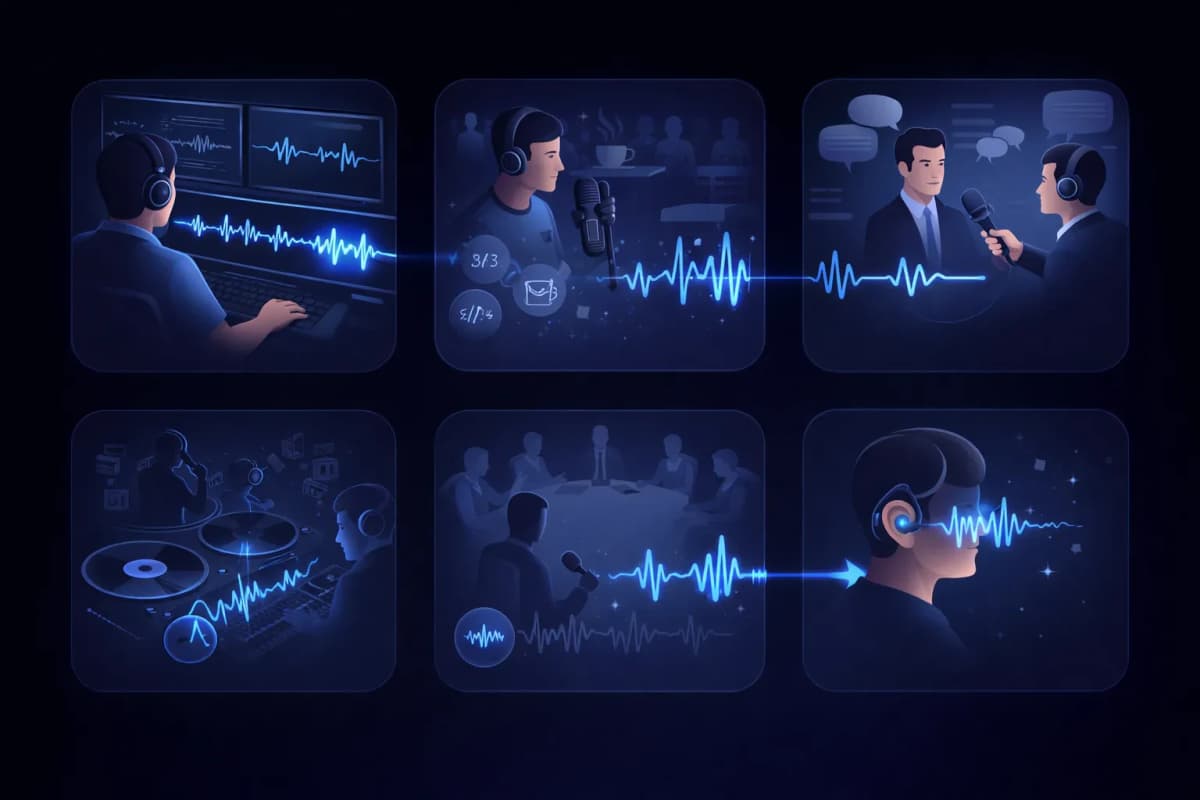
Cas d'Utilisation de l'Isolateur Vocal
Post-Production Vidéo
Nettoyez les pistes de dialogue en supprimant le bruit de fond des enregistrements vidéo.
Édition de Podcast
Supprimez le bruit de café, les sons de circulation et autres bruits indésirables des enregistrements de podcast.
Transcription d'Interviews
Isolez les voix des intervenants pour des résultats de transcription vocale plus précis.
Extraction Vocale
Extrayez les voix des pistes musicales pour des remixes, du karaoké ou des versions a cappella.
Enregistrements de Réunions et Conférences
Nettoyez les enregistrements de réunions en isolant les voix des intervenants du bruit ambiant.
Accessibilité
Aidez les personnes malentendantes en isolant la parole des environnements audio complexes.
Pourquoi Choisir l'Isolateur Vocal AnySpeech?
- Isolation vocale IA de qualité studio
- Compatible avec tous les principaux formats audio
- Intégré avec la synthèse vocale
- Intégré avec le clonage vocal
- Une seule plateforme pour tous vos besoins audio
- Tarification abordable basée sur les crédits
COMMENT ÇA MARCHE
Comment fonctionne la suppression de bruit par IA ?
Un isolateur vocal IA sépare la parole du bruit en lisant la carte des fréquences de l'audio : il reconnaît les motifs propres aux voix humaines, les conserve, puis reconstruit la piste en supprimant tout le reste.
Parole et bruit laissent des empreintes différentes
Sur un spectrogramme, la voix humaine dessine des formes caractéristiques — harmoniques, formants, rythme des syllabes. Le ronronnement d'une climatisation, la circulation ou le brouhaha d'un café ont chacun une allure bien différente. Le modèle a appris à reconnaître les deux : il sait donc les distinguer, même lorsqu'ils se superposent.
Reconstruire plutôt que filtrer
Les filtres antibruit classiques coupent des plages de fréquences entières, ce qui étouffe la voix en même temps que le bruit. L'isolation par IA, elle, prédit à quoi devrait ressembler la voix propre et la reconstruit, en préservant la brillance et les détails que ces filtres détruiraient.
Pourquoi le résultat semble enregistré en studio
Comme la voix est reconstruite plutôt que découpée, elle garde des sifflantes naturelles et toute sa présence, sans bruit de fond. Un enregistrement fait au téléphone dans une cuisine peut sonner comme une prise réalisée en cabine d'enregistrement.

QUEL OUTIL CHOISIR ?
Voice Isolator ou Vocal Remover : lequel choisir ?
Les deux outils se ressemblent, mais ils résolvent des problèmes opposés. La règle en bref : pour un enregistrement parlé avec du bruit indésirable, Voice Isolator ; pour une chanson à séparer en pistes, Vocal Remover.
Voice Isolator — pour les enregistrements parlés
Utilisez-le quand la voix est le contenu et que tout le reste n'est que pollution sonore : prises de podcast, interviews, cours, mémos vocaux. Vous obtenez une seule piste vocale propre.
Vocal Remover — pour les chansons
Utilisez-le quand vous travaillez sur de la musique et voulez en récupérer les pistes plutôt que la nettoyer : il sépare une chanson finalisée en a cappella et en instrumental, et conserve les deux.
En un coup d'œil
| Critère | Voice Isolator | Vocal Remover |
|---|---|---|
| Fichier de départ | Audio parlé avec du bruit | Une chanson finalisée |
| Résultat | Une piste vocale propre | Pistes voix + instrumental |
| Ce qui est supprimé | Bruit, bourdonnements, brouhaha | Rien — tout est conservé, mais séparé |
| Utilisateurs types | Podcasteurs, étudiants, journalistes | Chanteurs, DJ, amateurs de karaoké |
Vous travaillez sur une chanson ? Utilisez plutôt notre vocal remover.
GUIDE DES BRUITS
Quels bruits s'éliminent le mieux ?
Tous les bruits ne s'éliminent pas aussi facilement. Avant d'importer votre fichier, voici un aperçu honnête de ce à quoi vous attendre.
Excellents résultats
- Climatisation, ventilateurs et bourdonnement électrique
- Souffle de l'ordinateur et du micro
- Pluie et grondement régulier du vent
Un bruit constant et prévisible est le plus facile à modéliser : il disparaît presque entièrement.
Bons résultats
- Brouhaha de café et murmure de foule
- Circulation et ambiance de rue
- Clics de clavier et coups sur le bureau
Les bruits intermittents s'éliminent généralement bien, même si un bruit fort qui tombe pile sur un mot peut laisser une trace.
Les limites à connaître
- Forte réverbération de la pièce, captée dans l'enregistrement
- Une autre voix qui parle en même temps que la vôtre
- Enregistrement source écrêté ou distordu
Ces défauts se superposent à la voix elle-même : attendez-vous à une amélioration plutôt qu'à un résultat parfait — et réenregistrez si vous le pouvez.
FLUX DE TRAVAIL
Où intégrer l'isolation dans votre chaîne audio
Une parole propre n'est pas seulement plus agréable à écouter : elle rend chaque outil d'IA utilisé en aval plus performant, de façon mesurable.
Avant la transcription
Une piste propre, c'est moins de mots mal compris. Isolez d'abord la voix, puis convertissez la parole en texte pour une transcription plus précise.
Avant le clonage de voix
Le clonage apprend tout ce que contient votre échantillon, bruit compris. En isolant d'abord la voix, vous offrez au clone une empreinte vocale plus nette.
Avant la publication
Vos épisodes de podcast et les voix off de vos vidéos sont prêts plus vite quand vous corrigez l'audio en une seule passe plutôt que de tout réenregistrer.
Questions Fréquemment Posées
Isolez les Voix avec l'IA Maintenant
Téléchargez votre fichier audio et obtenez une voix propre, de qualité studio en quelques secondes.