
ตัวแยกเสียง
ลบเสียงรบกวนพื้นหลังจากเสียงใดๆ ด้วย AI ทันที
ฟังความแตกต่าง
ดูว่า AI ของเราแยกเสียงจากเสียงรบกวนพื้นหลังได้อย่างไร
[ตัวอย่าง]เสียงรบกวนจากร้านกาแฟ
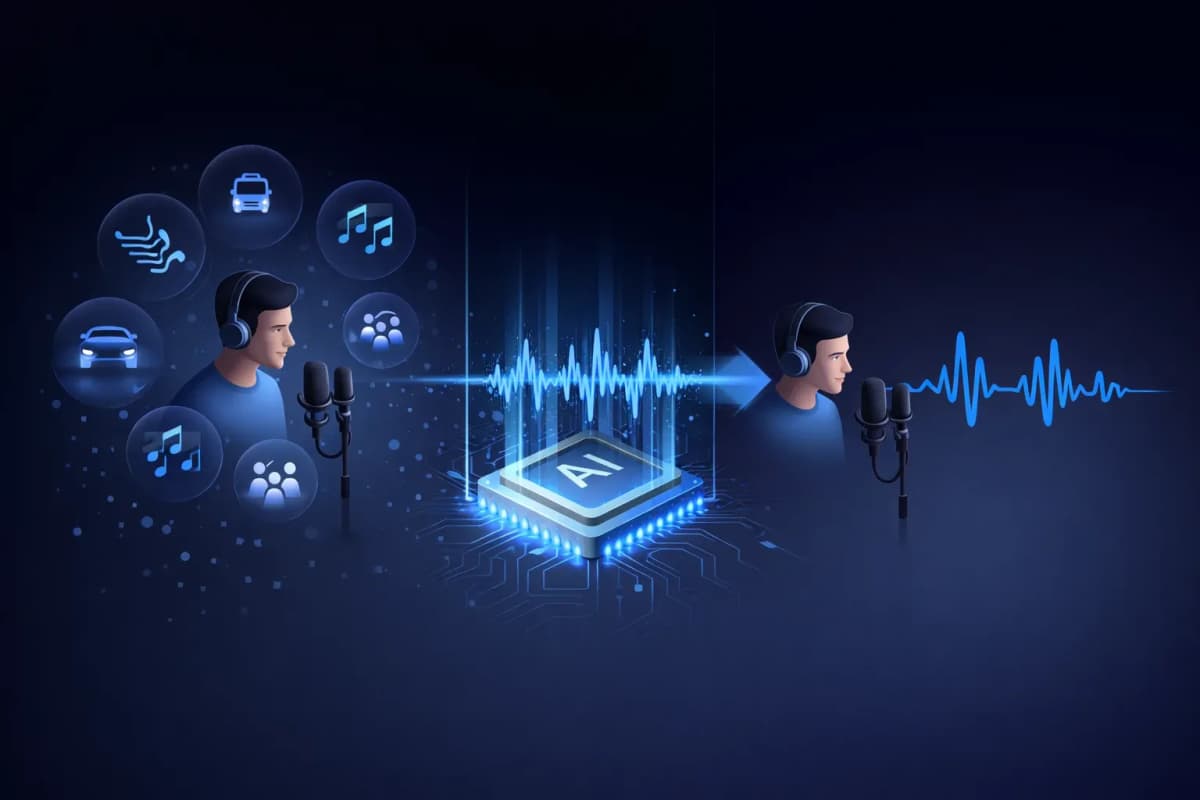
ตัวแยกเสียงคืออะไร?
ตัวแยกเสียงเป็นเครื่องมือที่ขับเคลื่อนด้วย AI ซึ่งแยกเสียงพูดของมนุษย์ออกจากเสียงรบกวนพื้นหลังในการบันทึกเสียง ต่างจากตัวกรองเสียงรบกวนแบบดั้งเดิมที่เพียงลดระดับเสียง ตัวแยกเสียง AI ของเราใช้โครงข่ายประสาทเทียมแบบ Deep Learning เพื่อระบุและแยกรูปแบบเสียงร้องออกมา พร้อมลบเสียงที่ไม่ต้องการ เช่น เพลง เสียงจราจร ลม และเสียงรบกวนรอบข้าง ผลลัพธ์คือเสียงพูดที่สะอาดคุณภาพระดับสตูดิโอ ฟังเหมือนบันทึกในสภาพแวดล้อมระดับมืออาชีพ
คุณสมบัติหลักของตัวแยกเสียง AI ของเรา
แยกเสียงด้วย AI
โครงข่ายประสาทเทียมแบบ Deep Learning ฝึกฝนจากตัวอย่างเสียงนับล้าน เพื่อแยกเสียงจากเสียงรบกวนพื้นหลังได้อย่างแม่นยำ
รองรับหลายรูปแบบ
อัปโหลดไฟล์เสียง MP3, WAV, OGG, AAC หรือ FLAC ตัวแยกเสียงของเรารองรับรูปแบบเสียงหลักทั้งหมด
ประมวลผลรวดเร็วทันใจ
รับเสียงที่แยกแล้วภายใน 20-40 วินาที ไม่ต้องรอนาน
คุณภาพระดับสตูดิโอ
รักษาลักษณะเสียงธรรมชาติไว้ขณะลบเสียงรบกวน ผลลัพธ์ฟังเหมือนบันทึกในสตูดิโอมืออาชีพ
ผสานรวมกับ TTS และการโคลน
เวิร์กโฟลว์เฉพาะ: แยกเสียง จากนั้นโคลนหรือสร้างเสียงพูดใหม่ ทั้งหมดในแพลตฟอร์มเดียว — เฉพาะที่ AnySpeech
ความเป็นส่วนตัวมาก่อน
ไฟล์เสียงของคุณจะถูกลบอัตโนมัติหลังจาก 7 วัน เราไม่แชร์หรือใช้ข้อมูลของคุณเพื่อการฝึกฝน

วิธีใช้ตัวแยกเสียงของเรา
อัปโหลดไฟล์ของคุณ
ลากแล้ววางหรือคลิกเพื่ออัปโหลดไฟล์เสียงของคุณ รองรับ MP3, WAV, OGG, AAC, FLAC
AI ประมวลผลเสียง
ตัวแยกเสียง AI ของเราวิเคราะห์เสียงของคุณและแยกเสียงพูดออกจากเสียงรบกวนพื้นหลังโดยอัตโนมัติ
ดูตัวอย่างและเปรียบเทียบ
ฟังเสียงต้นฉบับและเสียงที่แยกแล้วเทียบกัน ได้ยินความแตกต่างทันที
ดาวน์โหลดเสียงสะอาด
ดาวน์โหลดเสียงที่แยกแล้วในรูปแบบเสียงคุณภาพสูง พร้อมใช้งานสำหรับทุกโปรเจกต์
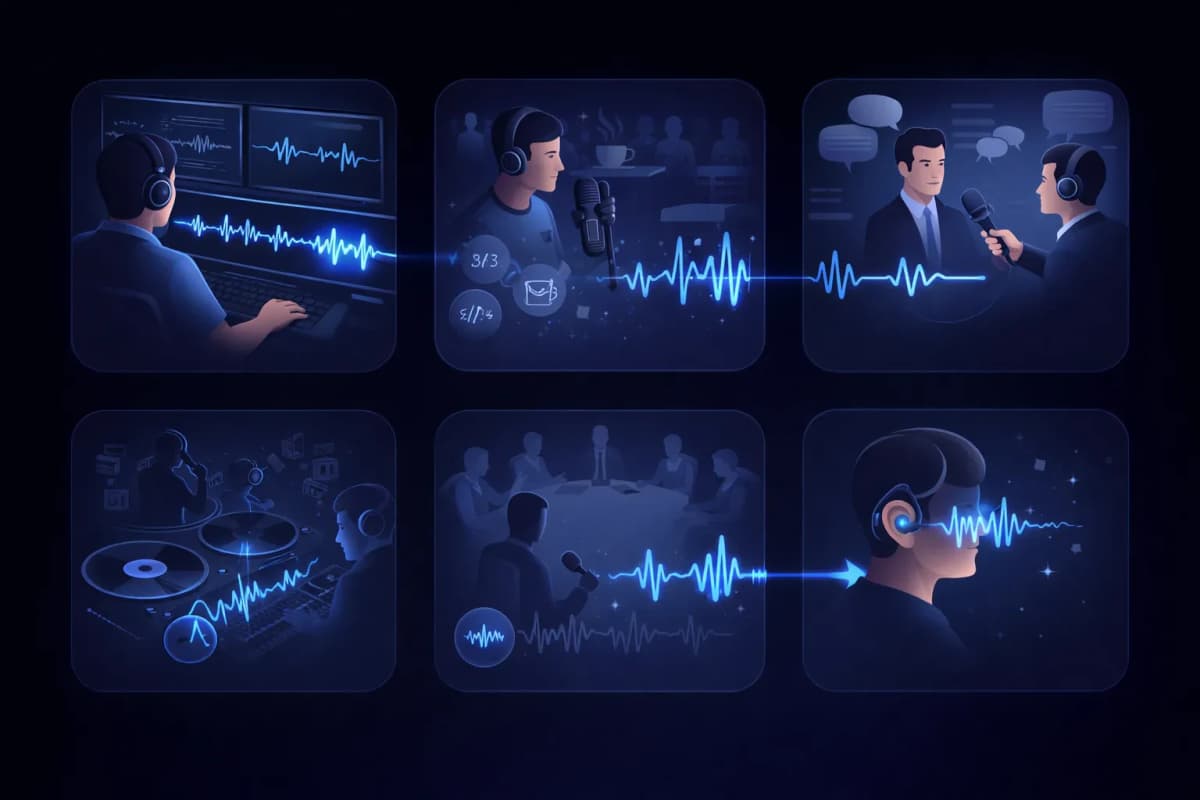
กรณีใช้งานตัวแยกเสียง
โพสต์โปรดักชั่นวิดีโอ
ทำความสะอาดแทร็กบทสนทนาโดยลบเสียงรบกวนพื้นหลังจากการบันทึกวิดีโอ
ตัดต่อพอดแคสต์
ลบเสียงร้านกาแฟ เสียงจราจร และเสียงที่ไม่ต้องการอื่นๆ จากการบันทึกพอดแคสต์
ถอดเสียงการสัมภาษณ์
แยกเสียงผู้พูดเพื่อผลลัพธ์การถอดเสียงเป็นข้อความที่แม่นยำยิ่งขึ้น
แยกเสียงร้อง
แยกเสียงร้องจากเพลงสำหรับรีมิกซ์ คาราโอเกะ หรือเวอร์ชัน A Capella
บันทึกการประชุมและการบรรยาย
ทำความสะอาดการบันทึกการประชุมโดยแยกเสียงผู้พูดออกจากเสียงรบกวนในห้อง
การเข้าถึง
ช่วยผู้ที่มีปัญหาการได้ยินโดยแยกเสียงพูดออกจากสภาพแวดล้อมเสียงที่ซับซ้อน
ทำไมต้องเลือกตัวแยกเสียง AnySpeech?
- แยกเสียง AI คุณภาพระดับสตูดิโอ
- รองรับรูปแบบเสียงหลักทั้งหมด
- ผสานรวมกับแปลงข้อความเป็นเสียงพูด
- ผสานรวมกับการโคลนเสียง
- แพลตฟอร์มเดียวสำหรับทุกความต้องการด้านเสียง
- ราคาย่อมเยาแบบเครดิต
หลักการทำงาน
การลบเสียงรบกวนด้วย AI ทำงานอย่างไร?
ตัวแยกเสียง AI แยกเสียงพูดออกจากเสียงรบกวนด้วยการอ่าน “แผนที่ความถี่” ของไฟล์เสียง โดยจะจับรูปแบบเฉพาะของเสียงมนุษย์ เก็บส่วนนั้นไว้ แล้วสร้างแทร็กขึ้นใหม่โดยตัดทุกอย่างที่เหลือออกไป
เสียงพูดกับเสียงรบกวนมี “ลายนิ้วมือ” ต่างกัน
บนสเปกโตรแกรม เสียงมนุษย์จะปรากฏเป็นรูปแบบที่มีเอกลักษณ์ ทั้งฮาร์มอนิก ฟอร์แมนต์ และจังหวะของพยางค์ ขณะที่เสียงหึ่งของแอร์ เสียงรถ และเสียงคนคุยกันในร้านกาแฟ ล้วนมีหน้าตาต่างออกไปมาก โมเดลเรียนรู้ทั้งสองแบบมาแล้ว จึงแยกออกจากกันได้แม้ในช่วงที่เสียงซ้อนทับกัน
สร้างเสียงขึ้นใหม่ ไม่ใช่แค่กรอง
ฟิลเตอร์ลดเสียงรบกวนแบบดั้งเดิมจะตัดความถี่ออกไปทั้งช่วง เสียงพูดจึงทึบลงไปพร้อมกับเสียงรบกวน ส่วนการแยกเสียงด้วย AI จะคาดการณ์ว่าเสียงพูดที่สะอาดควรเป็นอย่างไร แล้วสร้างขึ้นใหม่ จึงรักษาความใสและรายละเอียดของเสียงที่ฟิลเตอร์จะทำลายทิ้งไว้ได้
ทำไมผลลัพธ์ถึงฟังเหมือนอัดในสตูดิโอ
เพราะ AI สร้างเสียงขึ้นใหม่ ไม่ได้แค่คว้านออกมาจากเสียงรบกวน ผลลัพธ์จึงยังมีเสียง ส/ซ ที่เป็นธรรมชาติและเสียงที่ชัดเหมือนพูดอยู่ใกล้ๆ โดยไม่มีเสียงรบกวนพื้นหลังค้างอยู่ ไฟล์ที่อัดด้วยมือถือในห้องครัวก็ออกมาฟังเหมือนอัดในห้องอัดเสียงได้

ใช้เครื่องมือไหนดี?
ตัวแยกเสียงกับเครื่องมือตัดเสียงร้อง: ควรใช้แบบไหน?
สองเครื่องมือนี้ฟังดูคล้ายกัน แต่แก้ปัญหาตรงข้ามกัน หลักง่ายๆ คือ ถ้าเป็นไฟล์เสียงพูดที่มีเสียงรบกวนไม่พึงประสงค์ ให้ใช้ตัวแยกเสียง ถ้าเป็นเพลงที่อยากแยกออกเป็นส่วนๆ ให้ใช้เครื่องมือตัดเสียงร้อง
ตัวแยกเสียง — สำหรับไฟล์เสียงพูด
ใช้เมื่อเสียงพูดคือเนื้อหาหลัก และทุกอย่างที่เหลือคือสิ่งรบกวน เช่น ไฟล์อัดพอดแคสต์ บทสัมภาษณ์ การบรรยาย หรือบันทึกเสียง คุณจะได้แทร็กเสียงพูดที่สะอาดกลับมาหนึ่งแทร็ก
เครื่องมือตัดเสียงร้อง — สำหรับเพลง
ใช้เมื่อคุณทำงานกับเพลงและต้องการแยกเป็นส่วนๆ ไม่ใช่ทำความสะอาดเสียง เครื่องมือนี้จะแยกเพลงที่มิกซ์เสร็จแล้วออกเป็นอะแคปเปลลาและดนตรีล้วน โดยเก็บไว้ให้ครบทั้งสองแทร็ก
สรุปให้เห็นภาพ
| คำถาม | ตัวแยกเสียง | ตัดเสียงร้อง |
|---|---|---|
| ใส่อะไรเข้าไป | เสียงพูดที่มีเสียงรบกวน | เพลงที่มิกซ์เสร็จแล้ว |
| ได้อะไรออกมา | แทร็กเสียงพูดสะอาด 1 แทร็ก | แทร็กเสียงร้อง + แทร็กดนตรีล้วน |
| ตัดอะไรออก | เสียงรบกวน เสียงหึ่ง เสียงคนคุย | ไม่ตัดอะไรเลย — เก็บไว้ครบทุกส่วน แค่แยกออกจากกัน |
| ใครใช้บ่อย | คนทำพอดแคสต์ นักศึกษา นักข่าว | นักร้อง ดีเจ คอคาราโอเกะ |
ถ้าไฟล์ของคุณเป็นเพลงล่ะ? ไปที่เครื่องมือตัดเสียงร้องได้เลย
คู่มือเสียงรบกวน
เสียงรบกวนแบบไหนลบได้ดีที่สุด?
เสียงรบกวนแต่ละแบบลบออกได้ไม่เท่ากัน นี่คือภาพรวมแบบตรงไปตรงมาว่าควรคาดหวังอะไรก่อนอัปโหลด
ผลลัพธ์ดีเยี่ยม
- เสียงแอร์ พัดลม และเสียงหึ่งจากไฟฟ้า
- เสียงซ่าจากคอมพิวเตอร์และไมโครโฟน
- เสียงฝนและเสียงลมที่ดังต่อเนื่อง
เสียงรบกวนที่ดังสม่ำเสมอและคาดเดาได้ โมเดลจับรูปแบบได้ง่ายที่สุด จึงหายไปเกือบหมด
ผลลัพธ์ดี
- เสียงคนคุยในร้านกาแฟและเสียงฝูงชนพึมพำ
- เสียงรถและเสียงบรรยากาศบนถนน
- เสียงคลิกคีย์บอร์ดและเสียงกระแทกโต๊ะ
เสียงรบกวนที่มาเป็นช่วงๆ มักลบได้ดี แต่ถ้ามีเสียงดังขึ้นมากะทันหันทับคำพูดพอดี อาจเหลือร่องรอยอยู่บ้าง
ข้อจำกัดที่ควรรู้
- เสียงก้องหนักๆ ที่ติดมากับเสียงของห้อง
- เสียงคนอื่นพูดทับเสียงของคุณ
- ไฟล์ต้นฉบับที่เสียงแตกหรือผิดเพี้ยน
เสียงเหล่านี้ซ้อนทับกับตัวเสียงพูดเอง ผลลัพธ์จึงดีขึ้นได้แต่ไม่ถึงกับสมบูรณ์แบบ ถ้าอัดใหม่ได้ก็ควรอัดใหม่
เวิร์กโฟลว์
การแยกเสียงควรอยู่ตรงไหนในขั้นตอนทำงานเสียงของคุณ
เสียงพูดที่สะอาดไม่ได้แค่ฟังสบายหูขึ้น แต่ยังช่วยให้เครื่องมือ AI ทุกตัวในขั้นถัดไปทำงานได้ดีขึ้นอย่างวัดผลได้
ก่อนถอดเสียงเป็นข้อความ
แทร็กที่สะอาดช่วยลดคำที่ฟังผิด แยกเสียงก่อน แล้วค่อยส่งเข้าเครื่องมือแปลงเสียงเป็นข้อความ จะได้ข้อความถอดเสียงที่แม่นยำขึ้น
ก่อนโคลนเสียง
การโคลนเสียงจะเรียนรู้ทุกอย่างในตัวอย่างเสียง รวมถึงเสียงรบกวนด้วย การแยกเสียงก่อนจึงช่วยให้เสียงโคลนได้ลายเสียงที่สะอาดกว่า
ก่อนเผยแพร่
ตอนพอดแคสต์และเสียงพากย์วิดีโอเสร็จพร้อมปล่อยได้เร็วขึ้น เมื่อคุณแก้เสียงได้ในรอบเดียวแทนที่จะต้องอัดใหม่