
Voice Isolator
Entfernen Sie Hintergrundgeräusche aus jedem Audio mit KI, sofort.
Hören Sie den Unterschied
Sehen Sie, wie unsere KI Stimme von Hintergrundgeräuschen isoliert
[Beispiel]Café-Hintergrundgeräusche
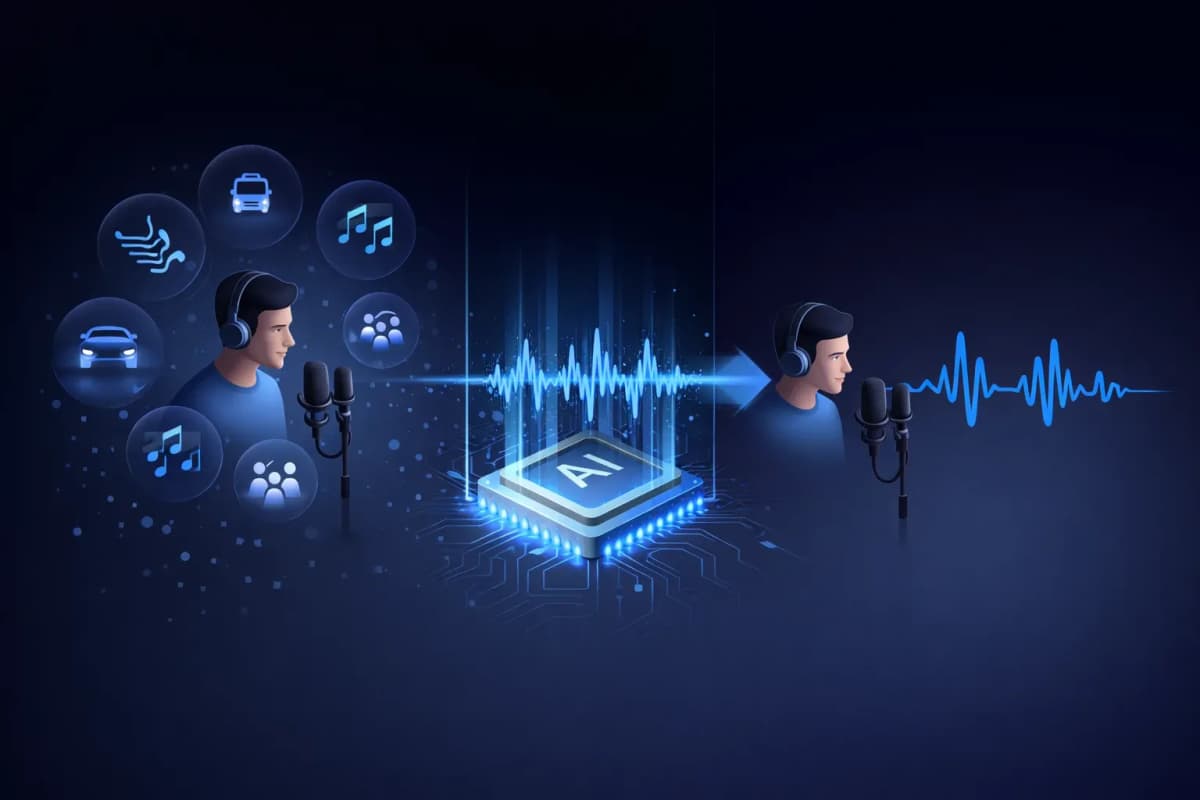
Was ist ein Stimmenisolator?
Ein Stimmenisolator ist ein KI-gestütztes Tool, das menschliche Sprache von Hintergrundgeräuschen in Audioaufnahmen trennt. Im Gegensatz zu herkömmlichen Rauschfiltern, die einfach Lautstärkepegel reduzieren, verwendet unser KI-Stimmenisolator neuronale Netze mit Deep Learning, um Stimmmuster zu identifizieren und zu extrahieren und gleichzeitig unerwünschte Geräusche wie Musik, Verkehr, Wind und Umgebungslärm zu entfernen. Das Ergebnis ist sauberes Audio in Studioqualität, das klingt, als wäre es in einer professionellen Umgebung aufgenommen worden.
Hauptfunktionen Unseres KI-Stimmenisolators
KI-gestützte Stimmenisolation
Neuronale Netze mit Deep Learning, trainiert auf Millionen von Audio-Samples, um Stimme präzise von jedem Hintergrundgeräusch zu trennen.
Multi-Format-Unterstützung
Laden Sie MP3-, WAV-, OGG-, AAC- oder FLAC-Audiodateien hoch. Unser Stimmenisolator verarbeitet alle gängigen Audioformate.
Blitzschnelle Verarbeitung
Erhalten Sie Ihr isoliertes Stimmaudio in 20-40 Sekunden. Kein Warten auf lange Verarbeitungszeiten.
Studioqualität
Bewahren Sie natürliche Stimmcharakteristiken bei gleichzeitiger Rauschentfernung. Das Ergebnis klingt wie eine professionelle Studioaufnahme.
Integriert mit TTS und Klonen
Einzigartiger Workflow: Isolieren Sie eine Stimme, klonen Sie sie dann oder erzeugen Sie neue Sprache. Alles auf einer Plattform — nur bei AnySpeech.
Datenschutz zuerst
Ihre Audiodateien werden nach 7 Tagen automatisch gelöscht. Wir teilen oder verwenden Ihre Daten niemals für Training.

So Verwenden Sie Unseren Stimmenisolator
Laden Sie Ihre Datei Hoch
Ziehen und ablegen oder klicken Sie zum Hochladen Ihrer Audiodatei. Unterstützt MP3, WAV, OGG, AAC, FLAC.
KI Verarbeitet Audio
Unser KI-Stimmenisolator analysiert Ihr Audio und trennt automatisch Stimme von Hintergrundgeräuschen.
Vorschau und Vergleich
Hören Sie das Original- und isolierte Audio nebeneinander. Hören Sie den Unterschied sofort.
Sauberes Audio Herunterladen
Laden Sie Ihre isolierte Stimme in hochwertigem Audioformat herunter, bereit für jedes Projekt.
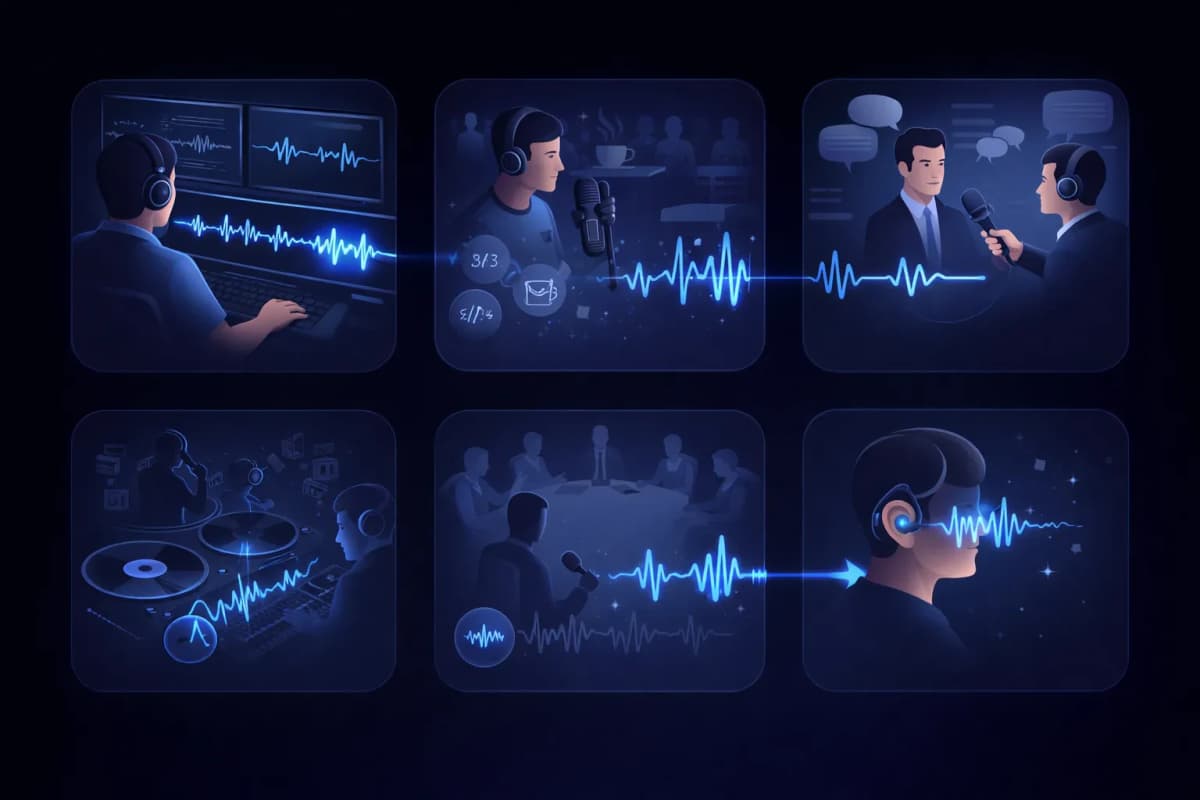
Anwendungsfälle des Stimmenisolators
Video-Postproduktion
Bereinigen Sie Dialogspuren, indem Sie Hintergrundgeräusche aus Videoaufnahmen entfernen.
Podcast-Bearbeitung
Entfernen Sie Café-Lärm, Verkehrsgeräusche und andere unerwünschte Klänge aus Podcast-Aufnahmen.
Interview-Transkription
Isolieren Sie Sprecherstimmen für genauere Sprache-zu-Text-Transkriptionsergebnisse.
Gesangsextraktion
Extrahieren Sie Gesang aus Musiktiteln für Remixe, Karaoke oder A-cappella-Versionen.
Meeting- und Vorlesungsaufnahmen
Bereinigen Sie Meeting-Aufnahmen, indem Sie Sprecherstimmen vom Raumgeräusch isolieren.
Barrierefreiheit
Helfen Sie hörgeschädigten Nutzern, indem Sie Sprache aus komplexen Audio-Umgebungen isolieren.
Warum den AnySpeech Stimmenisolator Wählen?
- KI-Stimmenisolation in Studioqualität
- Unterstützt alle gängigen Audioformate
- Integriert mit Sprachsynthese
- Integriert mit Stimmenklonen
- Eine Plattform für alle Audio-Bedürfnisse
- Erschwingliche kreditbasierte Preisgestaltung
SO FUNKTIONIERT ES
Wie entfernt KI Hintergrundgeräusche?
Ein KI-Stimmenisolator trennt Sprache von Störgeräuschen, indem er das Frequenzbild der Aufnahme auswertet: Er erkennt die Muster, die menschliche Stimmen erzeugen, behält sie bei und baut die Spur ohne alle übrigen Geräusche neu auf.
Sprache und Störgeräusche hinterlassen unterschiedliche Fingerabdrücke
Im Spektrogramm zeichnet eine menschliche Stimme charakteristische Formen — Obertöne, Formanten, den Rhythmus der Silben. Das Brummen einer Klimaanlage, Verkehrslärm und Stimmengewirr im Café sehen dort völlig anders aus. Das Modell hat beides gelernt und kann Stimme und Geräusche deshalb auch dann auseinanderhalten, wenn sie sich überlagern.
Rekonstruieren statt filtern
Klassische Rauschfilter schneiden ganze Frequenzbereiche weg — und machen damit neben dem Rauschen auch die Stimme dumpf. Die KI-Isolation sagt dagegen voraus, wie die saubere Stimme klingen müsste, und baut sie neu auf. So bleiben Brillanz und Details erhalten, die ein Filter zerstören würde.
Warum das Ergebnis wie im Studio aufgenommen klingt
Weil die Stimme neu aufgebaut und nicht bloß herausgeschnitten wird, behält das Ergebnis natürliche Zischlaute und Präsenz — ohne Grundrauschen. Eine Handyaufnahme aus der Küche kann danach klingen, als käme sie aus der Sprecherkabine.

WELCHES TOOL?
Voice Isolator vs. Vocal Remover: Was brauchen Sie?
Die beiden Tools klingen ähnlich, lösen aber gegensätzliche Probleme. Die Faustregel: Sprachaufnahme mit störenden Geräuschen — Voice Isolator. Ein Song, den Sie in seine Bestandteile zerlegen möchten — Vocal Remover.
Voice Isolator — für Sprachaufnahmen
Nutzen Sie ihn, wenn die Stimme der eigentliche Inhalt ist und alles andere nur stört: Podcast-Aufnahmen, Interviews, Vorlesungen, Sprachmemos. Zurück erhalten Sie eine saubere Sprachspur.
Vocal Remover — für Songs
Nutzen Sie ihn, wenn Sie mit Musik arbeiten und die einzelnen Spuren brauchen, keine Bereinigung: Er zerlegt einen fertigen Song in ein Acapella und ein Instrumental — beide Teile bleiben erhalten.
Auf einen Blick
| Frage | Voice Isolator | Vocal Remover |
|---|---|---|
| Was Sie hochladen | Eine Sprachaufnahme mit Störgeräuschen | Einen fertigen Song |
| Was Sie erhalten | Eine saubere Sprachspur | Eine Gesangs- und eine Instrumentalspur |
| Was entfernt wird | Rauschen, Brummen, Stimmengewirr | Nichts — alles bleibt erhalten, nur getrennt |
| Typische Nutzer | Podcaster, Studierende, Journalisten | Sänger, DJs, Karaoke-Fans |
Arbeiten Sie stattdessen mit einem Song? Dann wechseln Sie zum Vocal Remover.
GERÄUSCHARTEN
Welche Geräusche lassen sich am besten entfernen?
Nicht jedes Geräusch lässt sich gleich gut entfernen. Hier ein ehrlicher Überblick, womit Sie rechnen können, bevor Sie hochladen.
Hervorragende Ergebnisse
- Klimaanlagen, Ventilatoren und elektrisches Brummen
- Rauschen von Computer und Mikrofon
- Regen und gleichmäßiges Windrauschen
Gleichmäßige, vorhersehbare Geräusche lassen sich am leichtesten modellieren — sie verschwinden fast vollständig.
Gute Ergebnisse
- Stimmengewirr im Café und Publikumsgemurmel
- Verkehr und Straßengeräusche
- Tastaturklicks und Stöße gegen den Schreibtisch
Unregelmäßiger Lärm lässt sich meist gut entfernen, ein lautes Geräusch direkt über einem Wort kann aber hörbare Reste hinterlassen.
Die Grenzen kennen
- Starker Hall, der fest im Raumklang steckt
- Eine zweite Stimme, die gleichzeitig mit Ihnen spricht
- Übersteuertes oder verzerrtes Ausgangsmaterial
Diese Probleme überlagern die Stimme selbst — rechnen Sie also eher mit einer Verbesserung als mit Perfektion, und nehmen Sie nach Möglichkeit neu auf.
WORKFLOW
Wo die Stimmenisolation in Ihren Audio-Workflow passt
Saubere Sprache klingt nicht nur angenehmer — sie macht auch jedes nachgelagerte KI-Tool messbar besser.
Vor der Transkription
Eine saubere Spur bedeutet weniger falsch verstandene Wörter. Isolieren Sie zuerst die Stimme und schicken Sie die Aufnahme dann durch Speech to Text — für ein genaueres Transkript.
Vor dem Stimmenklonen
Beim Klonen lernt das Modell alles aus Ihrer Probe — auch die Störgeräusche. Wenn Sie die Stimme vorher isolieren, erhält der Klon einen saubereren Stimmabdruck.
Vor der Veröffentlichung
Podcast-Folgen und Videovertonungen sind schneller fertig, wenn Sie den Ton in einem Durchgang korrigieren, statt neu aufzunehmen.
Häufig Gestellte Fragen
Stimmen Jetzt mit KI Isolieren
Laden Sie Ihre Audiodatei hoch und erhalten Sie in Sekunden saubere Stimme in Studioqualität.